
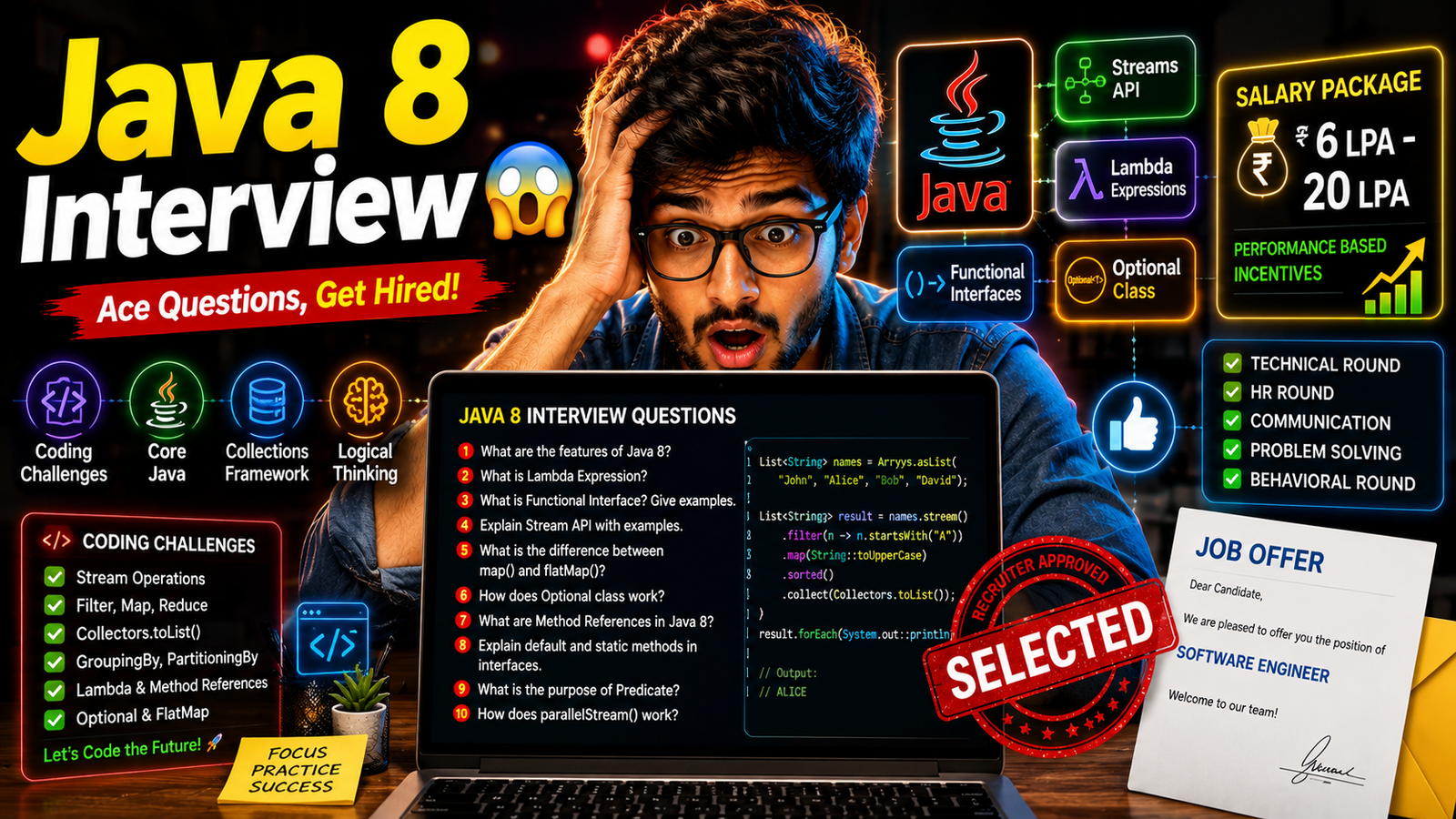
Advanced Java 8 Interview Questions and Answers: Streams, Lambda Expressions, Functional Interfaces, Optional & Real-Time Scenarios
Java 8 was one of the most significant releases in Java history. It introduced Lambda Expressions, Stream API, Functional Interfaces, Optional Class, Method References, and many modern programming concepts that transformed Java development. Today, almost every Java, Spring Boot, Backend Developer, Full Stack Developer, and Microservices interview includes Java 8 questions because modern enterprise applications heavily rely on these features.
This guide covers Java 8 interview questions from basics to advanced levels, including coding examples, real-world scenarios, and enterprise use cases.
Section 1: Introduction to Java 8
1. What is Java 8 and Why is it Important?
Answer:
Java 8 is a major Java release introduced by Oracle in March 2014. It brought functional programming concepts into Java through Lambda Expressions and Stream API. Java 8 significantly reduced boilerplate code, improved performance for collection processing, and simplified complex operations. Most modern enterprise applications and Spring Boot projects still use Java 8 features extensively.
Major Features:
- Lambda Expressions
- Stream API
- Functional Interfaces
- Method References
- Optional Class
- Date and Time API
- Default Methods
- Parallel Streams
Real-World Example:
Instead of writing 20–30 lines of code to filter employee data, Java 8 Streams can accomplish the same task in just a few lines.
2. What Problems Did Java 8 Solve?
Answer:
Before Java 8, developers wrote large amounts of boilerplate code for collection processing, sorting, filtering, and iteration. Anonymous classes made code difficult to read and maintain. Java 8 introduced functional programming concepts that simplified these operations. It improved code readability, maintainability, and performance while reducing development effort.
Before Java 8:
Collections.sort(list,
new Comparator() {
    public int compare(Employee e1,
                       Employee e2) {
        return e1.getSalary() -
               e2.getSalary();
    }
});
Java 8:
list.sort((e1, e2) ->
e1.getSalary() - e2.getSalary());
3. What are the Main Features Introduced in Java 8?
Answer:
Java 8 introduced multiple enhancements focused on functional programming and data processing. These features made Java more expressive and efficient for modern application development. Stream processing and Lambda Expressions became particularly popular in enterprise software.
Features:
- Lambda Expressions
- Functional Interfaces
- Stream API
- Method References
- Optional Class
- Default Methods
- Static Interface Methods
- New Date & Time API
- Parallel Streams
4. What is Functional Programming?
Answer:
Functional Programming is a programming paradigm where functions are treated as first-class citizens. It focuses on immutability, declarative programming, and reducing side effects. Java 8 introduced functional programming concepts through Lambda Expressions and Functional Interfaces.
Benefits:
- Cleaner Code
- Less Boilerplate
- Improved Readability
- Better Maintainability
- Easier Parallel Processing
5. Why are Java 8 Features Important in Spring Boot Applications?
Answer:
Spring Boot applications process large collections of data from databases, APIs, and microservices. Java 8 features simplify filtering, transformation, aggregation, and processing operations. Streams reduce code complexity, Optional prevents NullPointerException, and Lambdas improve readability. These features are heavily used in modern enterprise applications.
Example:
employees.stream()
.filter(emp ->
emp.getSalary() > 50000)
.collect(Collectors.toList());
Section 2: Lambda Expressions Interview Questions
6. What is a Lambda Expression?
Answer:
A Lambda Expression is an anonymous function introduced in Java 8. It allows developers to write concise and readable code without creating separate classes or anonymous inner classes. Lambdas are primarily used with Functional Interfaces and Stream API operations.
Syntax:
(parameters) -> expression
Example:
(a, b) -> a + b
7. Why Were Lambda Expressions Introduced?
Answer:
Lambda Expressions were introduced to reduce boilerplate code and improve readability. Before Java 8, implementing interfaces often required creating anonymous inner classes. Lambdas provide a cleaner and more concise way to express behavior.
Before Java 8:
Runnable r =
new Runnable() {
    public void run() {
        System.out.println("Running");
    }
};
Java 8:
Runnable r =
() -> System.out.println("Running");
8. What are the Components of a Lambda Expression?
Answer:
A Lambda Expression consists of parameters, an arrow operator (->), and a body. Parameters define inputs, the arrow separates inputs from implementation, and the body contains the logic to execute.
Example:
(int a, int b) -> {
    return a + b;
}
Components:
- Parameters → a, b
- Arrow → ->
- Body → return a + b
9. Can Lambda Expressions Access Local Variables?
Answer:
Yes, Lambda Expressions can access local variables, but those variables must be final or effectively final. An effectively final variable is one whose value does not change after initialization. This restriction helps avoid concurrency and scope-related issues.
Example:
int value = 10;

Runnable r =
() -> System.out.println(value);
10. What is the Difference Between Lambda Expression and Anonymous Class?
Answer:
| Lambda | Anonymous Class |
|---|---|
| Less Code | More Boilerplate |
| Functional Interface Only | Any Interface/Class |
| Better Readability | Less Readable |
| More Efficient | Relatively Heavier |
11. What is the ‘this’ Reference in Lambda Expressions?
Answer:
In Lambda Expressions, the ‘this’ keyword refers to the enclosing class instance, not the Lambda itself. This differs from anonymous classes where ‘this’ refers to the anonymous class instance.
Interview Importance:
This is frequently asked in advanced Java 8 interviews.
12. Can Lambda Expressions Throw Exceptions?
Answer:
Yes, Lambda Expressions can throw exceptions if the functional interface method allows it. Checked exceptions must still be handled or declared properly. Developers often wrap exception-prone operations inside try-catch blocks when using Streams and Lambdas.
Example:
list.forEach(item -> {
    try {
        process(item);
    } catch(Exception e) {
        e.printStackTrace();
    }
});
13. What are the Advantages of Lambda Expressions?
Answer:
- Reduced Boilerplate Code
- Improved Readability
- Easier Collection Processing
- Better Functional Programming Support
- Simplified Event Handling
- Improved Maintainability
- Supports Parallel Processing
Real-World Example:
Processing customer orders, filtering transactions, and transforming API responses become much simpler using Lambdas.
14. What are the Limitations of Lambda Expressions?
Answer:
Lambda Expressions improve code readability but can reduce clarity when business logic becomes too complex. They are best suited for short and concise operations. Large Lambda bodies may become difficult to debug and maintain.
Best Practice:
Keep Lambdas small and focused on a single responsibility.
15. Real-Time Scenario: How are Lambda Expressions Used in Enterprise Applications?
Answer:
Enterprise applications frequently process large datasets retrieved from databases, APIs, and messaging systems. Lambda Expressions simplify filtering, sorting, grouping, and transformation operations. Combined with Streams, they significantly reduce code complexity while improving maintainability.
Example:
List highEarners =
employees.stream()
.filter(emp ->
emp.getSalary() > 100000)
.collect(Collectors.toList());
Use Case:
An HR management system can filter employees earning above a certain salary threshold using a single Stream operation instead of writing complex loops.
Section 3: Functional Interfaces Interview Questions
Functional Interfaces are one of the most important Java 8 concepts and are frequently asked in Java Developer, Spring Boot Developer, Backend Developer, and Full Stack Developer interviews. Functional Interfaces are the foundation of Lambda Expressions, Stream API, Method References, and modern Java programming. Understanding these concepts is essential for working with enterprise applications and microservices.
16. What is a Functional Interface in Java 8?
Answer:
A Functional Interface is an interface that contains exactly one abstract method. It can have multiple default and static methods but only one abstract method. Functional Interfaces are primarily used with Lambda Expressions and Method References. Java 8 introduced the @FunctionalInterface annotation to explicitly indicate that an interface is functional. Common examples include Runnable, Callable, Comparator, Predicate, Function, Consumer, and Supplier.
Example:
@FunctionalInterface
interface Calculator {
    int add(int a, int b);
}
Real-World Use Case:
In Spring Boot applications, Functional Interfaces are extensively used for filtering data, processing requests, and handling business logic using Lambda Expressions.
17. What is the Purpose of the @FunctionalInterface Annotation?
Answer:
The @FunctionalInterface annotation ensures that an interface contains only one abstract method. If developers accidentally add another abstract method, the compiler generates an error. This helps maintain the integrity of Functional Interfaces and prevents misuse. Although optional, it is considered a best practice in enterprise applications.
Example:
@FunctionalInterface
interface EmployeeService {
    void processEmployee();
}
Interview Tip:
The annotation is not mandatory, but it provides compile-time validation and improves code readability.
18. What is Predicate Interface in Java 8?
Answer:
Predicate is a built-in Functional Interface located in the java.util.function package. It accepts one input and returns a boolean result. Predicate is commonly used for filtering data in collections and streams. It is heavily used in enterprise applications for validation, searching, and conditional processing.
Example:
Predicate isEven =
num -> num % 2 == 0;

System.out.println(isEven.test(10));
Output:
true
Real-World Example:
Filtering active customers, eligible employees, approved transactions, or premium subscribers.
19. What is Function Interface in Java 8?
Answer:
Function is a Functional Interface that accepts one input and produces one output. It is commonly used for data transformation and mapping operations. Function is frequently used with Stream API for converting objects from one form to another. Enterprise applications often use Function to transform database entities into DTOs.
Example:
Function<String,Integer> length =
str -> str.length();

System.out.println(length.apply("Java"));
Output:
4
Use Case:
Converting Employee objects into EmployeeResponse DTOs in REST APIs.
20. What is Consumer Interface in Java 8?
Answer:
Consumer is a Functional Interface that accepts input but does not return any value. It is mainly used for performing actions such as printing, logging, saving, updating, or processing data. The Consumer interface contains the accept() method. It is commonly used with Stream API’s forEach() method.
Example:
Consumer printName =
name -> System.out.println(name);

printName.accept("Java");
Real-World Example:
Sending email notifications, logging application events, updating customer records, or processing payments.
21. What is Supplier Interface in Java 8?
Answer:
Supplier is a Functional Interface that does not take any input but returns a value. It is useful when values need to be generated dynamically. Supplier is commonly used for lazy loading, object creation, random data generation, and fetching configuration values.
Example:
Supplier company =
() -> "Amazon";

System.out.println(company.get());
Output:
Amazon
Use Case:
Generating unique order IDs, retrieving configuration values, or creating default application settings.
22. Scenario-Based Question: How Are Functional Interfaces Used in Real-Time Spring Boot Projects?
Answer:
In Spring Boot applications, Functional Interfaces are extensively used with Lambda Expressions and Stream API for processing business data. For example, Predicate can filter active users, Function can transform entities into DTOs, Consumer can log transaction details, and Supplier can generate default values. These interfaces reduce boilerplate code, improve readability, and support modern functional programming practices.
Real-Time Example:
List employees =
employeeRepository.findAll();

List activeEmployees =
employees.stream()
.filter(emp -> emp.isActive())
.collect(Collectors.toList());
Enterprise Use Case:
An HR Management System filters active employees, converts them into response objects, logs activities, and generates reports using Functional Interfaces combined with Stream API.
100+ Software Testing Interview Questions and Answers for Freshers and Experienced
Interviewer’s Favorite Topics from Functional Interfaces:
- Functional Interface Definition
- @FunctionalInterface Annotation
- Predicate vs Function
- Consumer vs Supplier
- Lambda Expressions with Functional Interfaces
- Stream API Integration
- Real-Time Spring Boot Use Cases
Section 4: Stream API Interview Questions
Stream API is one of the most frequently asked Java 8 topics in interviews. Almost every company including Amazon, Infosys, IBM, Accenture, Deloitte, Capgemini, Oracle, TCS, Wipro, and product-based companies asks Stream API questions because it simplifies data processing, filtering, sorting, aggregation, and transformation operations. Stream API helps developers write cleaner, more readable, and highly efficient code compared to traditional loops.
23. What is Stream API in Java 8?
Answer:
Stream API is a feature introduced in Java 8 for processing collections of data in a functional and declarative manner. Streams allow developers to perform operations such as filtering, mapping, sorting, grouping, and aggregation without modifying the original data source. A Stream does not store data; it processes data from collections, arrays, or other sources. Stream API improves code readability and supports parallel processing for better performance.
Example:
List names =
Arrays.asList("Java","Python","Spring");

names.stream()
.forEach(System.out::println);
Use Case:
Filtering active customers, processing transactions, generating reports, and analyzing large datasets.
24. What is the Difference Between Collection and Stream?
Answer:
A Collection stores data, whereas a Stream processes data. Collections are used to manage and hold objects in memory, while Streams perform operations on those objects. Collections support adding and removing elements, whereas Streams focus on computation and transformation. Streams do not modify the original collection and can be processed sequentially or in parallel.
| Collection | Stream |
|---|---|
| Stores Data | Processes Data |
| Can Add/Remove Elements | Cannot Modify Source |
| Eager Execution | Lazy Execution |
| Reusable | Consumed Once |
25. What are Intermediate and Terminal Operations in Stream API?
Answer:
Intermediate operations transform a Stream and return another Stream, allowing multiple operations to be chained together. Terminal operations produce a final result and trigger the execution of the Stream pipeline. Without a terminal operation, intermediate operations are not executed because Streams use lazy evaluation.
Intermediate Operations:
- filter()
- map()
- sorted()
- distinct()
- limit()
Terminal Operations:
- collect()
- forEach()
- count()
- reduce()
- findFirst()
Example:
employees.stream()
.filter(emp -> emp.getSalary() > 50000)
.collect(Collectors.toList());
26. What is the Difference Between map() and flatMap()?
Answer:
The map() method transforms each element into another object and returns a Stream of transformed elements. The flatMap() method is used when each element itself contains multiple elements and we want to flatten them into a single Stream. flatMap() is commonly used for nested collections and hierarchical data structures.
map() Example:
names.stream()
.map(String::toUpperCase)
.collect(Collectors.toList());
flatMap() Example:
listOfLists.stream()
.flatMap(List::stream)
.collect(Collectors.toList());
Real-World Example:
Flattening customer orders where each customer contains multiple products.
27. What is filter() in Stream API?
Answer:
The filter() method is used to select elements that satisfy a given condition. It accepts a Predicate Functional Interface and returns a new Stream containing only matching elements. filter() is one of the most commonly used Stream operations in enterprise applications.
Example:
employees.stream()
.filter(emp ->
emp.getSalary() > 100000)
.collect(Collectors.toList());
Use Case:
Filtering active users, premium customers, successful transactions, or high-value orders.
28. What is collect() in Stream API?
Answer:
The collect() method is a terminal operation used to convert Stream results into collections or other data structures. It is frequently used after filtering, mapping, or sorting operations. The Collectors utility class provides several predefined collectors for common tasks.
Example:
List names =
employees.stream()
.map(Employee::getName)
.collect(Collectors.toList());
Common Collectors:
- toList()
- toSet()
- joining()
- groupingBy()
- counting()
29. Scenario-Based Question: How Would You Use Stream API to Process One Million Employee Records Efficiently?
Answer:
In a real-world enterprise application, processing one million employee records using traditional loops can result in complex and difficult-to-maintain code. Stream API allows filtering, transformation, grouping, and aggregation operations to be performed in a concise and readable manner. For CPU-intensive operations, Parallel Streams can be used to leverage multiple processor cores and improve performance.
Example:
List highEarners =
employees.parallelStream()
.filter(emp ->
emp.getSalary() > 100000)
.collect(Collectors.toList());
Real-Time Use Case:
An HR analytics platform generates salary reports, department-wise statistics, and employee performance dashboards by processing millions of records using Stream API.
Interviewer’s Favorite Stream API Topics:
- Stream API Basics
- Collection vs Stream
- filter(), map(), flatMap()
- collect() and Collectors
- Lazy Evaluation
- Parallel Streams
- Real-Time Data Processing Scenarios
Top Git Interview Questions and Answers for Freshers
Section 5: Optional Class Interview Questions
Optional is one of the most important Java 8 features introduced to reduce NullPointerException (NPE), which is one of the most common causes of application failures in production systems. Almost every Java, Spring Boot, Microservices, and Backend Developer interview includes Optional-related questions because modern enterprise applications heavily rely on Optional for safer null handling and cleaner code.
30. What is Optional Class in Java 8?
Answer:
Optional is a container object introduced in Java 8 that may or may not contain a value. Instead of returning null, methods can return an Optional object, forcing developers to explicitly handle the absence of data. This improves code readability, reduces runtime errors, and promotes safer programming practices. Optional is available in the java.util package and is widely used in Spring Boot and REST API development.
Example:
Optional name =
Optional.of("Java");

System.out.println(name.get());
Output:
Java
Use Case:
Fetching customer details from a database where the record may or may not exist.
31. Why Was Optional Introduced in Java 8?
Answer:
Before Java 8, developers frequently returned null values when data was unavailable. This often resulted in NullPointerException when methods were called on null references. Optional was introduced to make null handling explicit and encourage developers to consider missing values. It reduces production bugs and improves application reliability.
Before Java 8:
Customer customer =
findCustomer(id);

customer.getName();
If customer is null, the application crashes.
With Optional:
Optional customer =
findCustomer(id);
The developer must explicitly handle missing data.
32. How Does Optional Help Prevent NullPointerException?
Answer:
Optional provides methods that allow developers to safely access values without directly interacting with null references. Instead of checking for null repeatedly throughout the application, developers can use Optional methods such as isPresent(), ifPresent(), orElse(), and orElseGet(). This results in cleaner and safer code.
Example:
Optional name =
Optional.ofNullable(null);

System.out.println(
name.orElse("Default User"));
Output:
Default User
Real-World Example:
If a customer profile picture is unavailable, a default image can be displayed instead of causing an application error.
33. What is the Difference Between of(), ofNullable(), and empty()?
Answer:
These are the three primary methods used to create Optional objects. Understanding their differences is a favorite interview topic because improper usage can still result in exceptions.
| Method | Description |
|---|---|
| of() | Creates Optional with a non-null value |
| ofNullable() | Creates Optional with null or non-null value |
| empty() | Creates an empty Optional |
Examples:
Optional.of("Java");

Optional.ofNullable(null);

Optional.empty();
Interview Tip:
Passing null to Optional.of() throws NullPointerException immediately.
34. What is the Difference Between orElse() and orElseGet()?
Answer:
Both methods provide a default value when the Optional is empty. However, orElse() always evaluates its argument, while orElseGet() executes the supplier only when needed. For expensive operations such as database queries or API calls, orElseGet() is generally more efficient.
Example:
Optional name =
Optional.of("Java");

System.out.println(
name.orElse("Default"));
Example with Supplier:
name.orElseGet(() ->
getDefaultValue());
Real-World Use Case:
Loading default customer preferences only if actual preferences are unavailable.
35. What are isPresent() and ifPresent() Methods?
Answer:
The isPresent() method checks whether a value exists inside the Optional. The ifPresent() method executes a given action only if a value is available. While isPresent() is useful, modern Java development often prefers ifPresent() because it reduces explicit conditional checks and improves readability.
Example:
Optional name =
Optional.of("Java");

if(name.isPresent()) {
    System.out.println(name.get());
}
Modern Approach:
name.ifPresent(
System.out::println);
Output:
Java
36. Scenario-Based Question: How is Optional Used in Real-Time Spring Boot Applications?
Answer:
In Spring Boot applications, Optional is frequently used in repository methods when retrieving data from databases. Since a record may not exist, repositories often return Optional objects instead of null values. This forces developers to explicitly handle missing records and provide appropriate responses to users.
Spring Boot Example:
Optional employee =
employeeRepository
.findById(id);
Handling Missing Employee:
Employee emp =
employeeRepository
.findById(id)
.orElseThrow(() ->
new RuntimeException(
"Employee Not Found"));
Real-Time Enterprise Use Case:
In a banking application, searching for an account number may return no results. Using Optional ensures that the application responds gracefully with a meaningful error message instead of crashing with a NullPointerException.
Interviewer’s Favorite Optional Topics:
- Optional vs Null
- of() vs ofNullable()
- orElse() vs orElseGet()
- isPresent() vs ifPresent()
- Optional in Spring Data JPA
- NullPointerException Prevention
- Repository Layer Optional Usage
Communication Skills for Placement Interviews: Recruiter Tips to Get Hired Faster
Section 6: Method References Interview Questions
Method References are one of the most frequently asked Java 8 interview topics because they provide a cleaner and more readable alternative to Lambda Expressions. They are heavily used in Stream API, Functional Interfaces, Spring Boot applications, and enterprise projects. Interviewers often ask Method Reference questions to evaluate a candidate’s understanding of functional programming and modern Java coding practices.
37. What is a Method Reference in Java 8?
Answer:
A Method Reference is a shorthand notation for a Lambda Expression that directly refers to an existing method. Instead of writing a Lambda Expression that simply calls a method, we can use a Method Reference to make the code more concise and readable. Method References improve maintainability and reduce boilerplate code in Java applications.
Lambda Expression:
names.forEach(
name -> System.out.println(name));
Method Reference:
names.forEach(
System.out::println);
Use Case:
Displaying employee names, processing collections, and handling Stream API operations.
38. What are the Different Types of Method References?
Answer:
Java 8 supports four types of Method References. Understanding these types is important because interviewers frequently ask candidates to explain them with examples.
| Type | Example |
|---|---|
| Static Method Reference | ClassName::staticMethod |
| Instance Method of Particular Object | object::method |
| Instance Method of Arbitrary Object | ClassName::method |
| Constructor Reference | ClassName::new |
Interview Tip:
Memorizing these four types is highly recommended because they are commonly asked in Java 8 interviews.
39. What is the Difference Between Lambda Expression and Method Reference?
Answer:
Both Lambda Expressions and Method References achieve similar goals, but Method References offer a cleaner syntax when an existing method is simply being called. Lambdas provide more flexibility for custom logic, while Method References improve readability for simple operations.
| Lambda Expression | Method Reference |
|---|---|
| More Flexible | More Readable |
| Custom Logic Possible | Calls Existing Method |
| More Code | Less Code |
Example:
employee ->
employee.getName()
can be written as:
Employee::getName
40. What is a Static Method Reference?
Answer:
A Static Method Reference refers to a static method of a class. It is used when a Lambda Expression only invokes a static method. This improves readability and avoids unnecessary code. Static Method References are commonly used in utility classes and helper methods.
Example:
Function<String,Integer> parser =
Integer::parseInt;
Equivalent Lambda:
str -> Integer.parseInt(str)
Real-World Example:
Converting String values received from APIs or CSV files into numeric values.
41. What is an Instance Method Reference?
Answer:
An Instance Method Reference refers to a method of a particular object. Instead of explicitly calling the object’s method through a Lambda Expression, we directly reference it using the :: operator. This makes collection processing more elegant and easier to understand.
Example:
EmployeeService service =
new EmployeeService();

Consumer consumer =
service::processEmployee;
Use Case:
Processing customer records, validating transactions, or invoking business services within Stream operations.
42. What is a Constructor Reference in Java 8?
Answer:
A Constructor Reference is used to create objects by referencing a constructor instead of writing explicit object creation logic inside a Lambda Expression. Constructor References improve readability and are commonly used in factory patterns and Stream transformations.
Example:
Supplier supplier =
Employee::new;
Equivalent Lambda:
() -> new Employee()
Real-World Example:
Creating Employee, Customer, Order, or Product objects dynamically while processing large datasets.
43. Scenario-Based Question: How Are Method References Used in Real-Time Spring Boot Projects?
Answer:
In Spring Boot applications, Method References are widely used with Stream API, Optional, and Functional Interfaces to process business data efficiently. For example, while converting database entities into DTOs, developers often use Method References to extract fields, invoke services, and simplify transformation logic. This reduces boilerplate code and improves maintainability.
Example:
List employeeNames =
employees.stream()
.map(Employee::getName)
.collect(Collectors.toList());
Enterprise Use Case:
An HR Management System retrieves thousands of employee records from the database and converts them into API response objects. Method References make the transformation concise, readable, and easy to maintain across large-scale applications.
Interviewer’s Favorite Method Reference Topics:
- Method Reference vs Lambda Expression
- Types of Method References
- Static Method References
- Constructor References
- Method References with Stream API
- Method References with Functional Interfaces
- Spring Boot Real-World Use Cases
Top 100 SQL Interview Questions and Answers for Freshers
Section 7: Parallel Streams Interview Questions
Parallel Streams are one of the most frequently asked advanced Java 8 topics in interviews. Companies such as Amazon, Oracle, IBM, Deloitte, Accenture, Infosys, and product-based organizations often ask Parallel Stream questions because they are used to process large datasets efficiently by utilizing multiple CPU cores. Understanding Parallel Streams is important for building high-performance enterprise applications and data-processing systems.
44. What are Parallel Streams in Java 8?
Answer:
Parallel Streams are a feature introduced in Java 8 that allow Stream operations to execute concurrently using multiple CPU cores. Instead of processing elements one by one, Parallel Streams divide data into multiple chunks and process them simultaneously. This can significantly improve performance when working with large datasets and CPU-intensive operations. Parallel Streams are created using the parallelStream() method or the parallel() method.
Example:
employees.parallelStream()
.forEach(System.out::println);
Use Case:
Processing millions of customer transactions, generating reports, and performing large-scale analytics.
45. What is the Difference Between Sequential Stream and Parallel Stream?
Answer:
A Sequential Stream processes elements one after another using a single thread, whereas a Parallel Stream processes multiple elements simultaneously using multiple threads. Sequential Streams are easier to debug and are suitable for smaller datasets, while Parallel Streams can improve performance for large datasets and computationally expensive operations.
| Sequential Stream | Parallel Stream |
|---|---|
| Single Thread | Multiple Threads |
| Predictable Order | Order May Vary |
| Simple Debugging | More Complex Debugging |
| Suitable for Small Data | Suitable for Large Data |
46. How Do Parallel Streams Work Internally?
Answer:
Parallel Streams internally use the ForkJoin Framework introduced in Java 7. The data is divided into smaller chunks, and each chunk is assigned to different worker threads from the ForkJoinPool. These threads process data concurrently and combine the results before returning the final output. This approach efficiently utilizes multi-core processors.
Flow:
Large Dataset
      ↓
Split into Chunks
      ↓
Multiple Worker Threads
      ↓
Process Concurrently
      ↓
Merge Results
Interview Tip:
Remember that Parallel Streams use the common ForkJoinPool by default.
47. What is ForkJoinPool in Java?
Answer:
ForkJoinPool is a special thread pool designed for parallel processing. It uses a divide-and-conquer strategy where large tasks are broken into smaller subtasks and executed by multiple worker threads. ForkJoinPool improves CPU utilization and forms the backbone of Parallel Streams in Java 8.
Example:
ForkJoinPool pool =
new ForkJoinPool(4);
Real-World Example:
Large financial applications processing millions of stock market transactions simultaneously.
48. What are the Advantages and Limitations of Parallel Streams?
Answer:
Parallel Streams can significantly improve performance for large datasets but are not suitable for every scenario. While they leverage multiple CPU cores effectively, they introduce thread management overhead and may perform worse for small datasets.
Advantages:
- Improved Performance
- Better CPU Utilization
- Simplified Parallel Processing
- Less Boilerplate Code
Limitations:
- Thread Overhead
- Harder Debugging
- Non-Deterministic Order
- Not Suitable for Small Datasets
49. When Should You Use Parallel Streams?
Answer:
Parallel Streams should be used when processing large datasets with CPU-intensive operations where tasks can be executed independently. They are beneficial for calculations, report generation, analytics, and batch processing. However, they should be avoided for I/O-bound tasks such as database calls, file operations, or external API requests because thread overhead may outweigh performance gains.
Good Use Cases:
- Data Analytics
- Report Generation
- Machine Learning Preprocessing
- Large Dataset Aggregation
Avoid For:
- Database Queries
- REST API Calls
- File Uploads
- Network Operations
50. Scenario-Based Question: A Company Needs to Process 10 Million Customer Records Daily. Would You Use Parallel Streams?
Answer:
Yes, if the processing involves CPU-intensive calculations such as data transformation, aggregation, risk analysis, or report generation, Parallel Streams can significantly improve performance by utilizing all available processor cores. However, I would first benchmark the solution because Parallel Streams are not always faster. If the task involves database access or external APIs, I would consider asynchronous processing frameworks or distributed systems instead.
Example:
double totalRevenue =
orders.parallelStream()
.mapToDouble(Order::getAmount)
.sum();
Enterprise Use Case:
An e-commerce company processes millions of orders every night to generate sales reports, customer insights, and inventory forecasts. Parallel Streams help reduce processing time from hours to minutes by utilizing multiple CPU cores effectively.
Interviewer’s Favorite Parallel Stream Topics:
- Parallel Stream vs Sequential Stream
- ForkJoinPool
- Internal Working of Parallel Streams
- Performance Optimization
- Advantages and Limitations
- Thread Safety
- Real-Time Data Processing Scenarios