
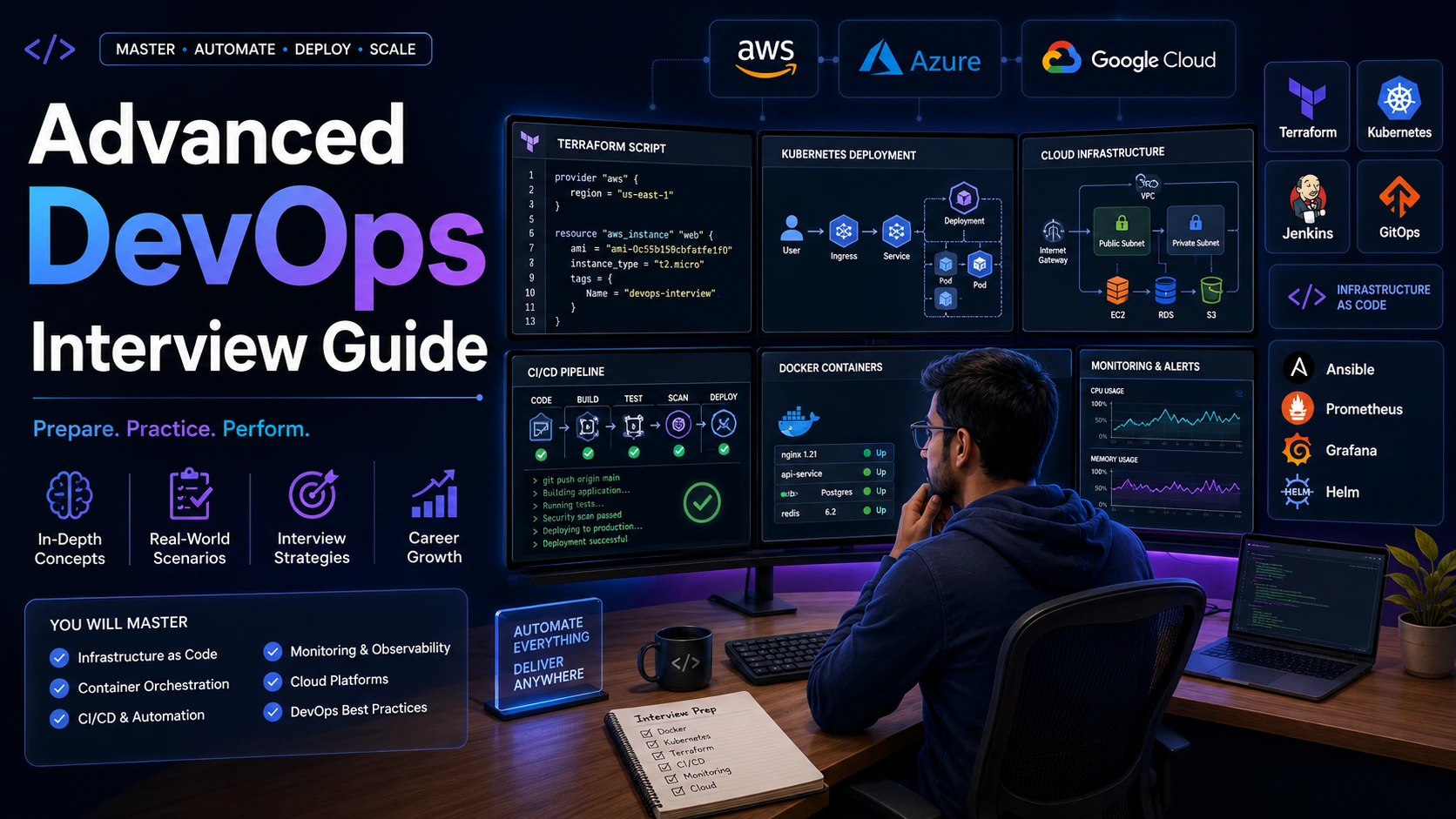
Advanced DevOps Interview Questions and Answers: Cloud, Terraform, CI/CD, Real-Time Scenarios & Project Discussions
This guide assumes you already understand DevOps fundamentals. Here we focus on advanced interview questions covering AWS, Azure, Terraform, Kubernetes, CI/CD, Monitoring, Security, Real-Time Scenarios, and Project Discussions. This article covers advanced DevOps interview topics that are commonly asked in DevOps Engineer, Cloud Engineer, Platform Engineer, Site Reliability Engineer (SRE), Infrastructure Engineer, and Production Support interviews. These questions focus on cloud platforms, Infrastructure as Code (IaC), deployment strategies, troubleshooting, incident management, monitoring, and real-world project discussions.
Also Read: Complete DevOps Interview Preparation Guide for Freshers and Experienced Professionals
Section 8: Cloud Interview Questions (AWS, Azure & GCP)
77. Why is Cloud Computing Important for DevOps?
Answer:
Cloud computing provides scalable, on-demand infrastructure that enables DevOps teams to deploy applications quickly without managing physical hardware. Cloud platforms support automation, infrastructure provisioning, monitoring, security, and disaster recovery. DevOps practices heavily rely on cloud services because they simplify deployments and reduce operational overhead. Major providers such as AWS, Azure, and Google Cloud offer services specifically designed for CI/CD and cloud-native applications.
Example:
A development team can provision a complete testing environment within minutes using AWS or Azure instead of waiting days for physical servers.
78. What is Amazon EC2?
Answer:
Amazon EC2 (Elastic Compute Cloud) is a virtual server service provided by AWS. It allows organizations to launch and manage virtual machines in the cloud. EC2 instances can be scaled up or down based on workload requirements. DevOps engineers commonly use EC2 for application hosting, CI/CD servers, monitoring tools, and container platforms. It is one of the most frequently asked AWS interview topics.
Example:
A Jenkins server can be deployed on an EC2 instance to automate software delivery pipelines.
79. What is Amazon S3?
Answer:
Amazon S3 (Simple Storage Service) is an object storage service used to store files, backups, logs, application assets, and static website content. It provides high durability, scalability, and availability. DevOps teams frequently use S3 for backup storage, Terraform state files, deployment artifacts, and disaster recovery solutions. S3 integrates with many AWS services.
Example:
CI/CD build artifacts can be stored in an S3 bucket before deployment.
80. What is IAM in AWS?
Answer:
IAM (Identity and Access Management) controls user authentication and authorization within AWS environments. IAM enables organizations to grant specific permissions to users, groups, roles, and applications. Following the principle of least privilege helps improve security. DevOps engineers frequently create IAM roles for EC2 instances, Lambda functions, and deployment pipelines.
Example:
An EC2 instance receives temporary S3 access through an IAM role rather than storing access keys on the server.
81. What is a VPC?
Answer:
A Virtual Private Cloud (VPC) is a logically isolated network within AWS. It allows organizations to define IP ranges, subnets, routing tables, security groups, and network access controls. VPCs improve security by isolating resources from public networks. Designing secure VPC architectures is a common responsibility for DevOps and Cloud Engineers.
Example:
Database servers are placed in private subnets while web servers remain accessible through public subnets.
Top Git Interview Questions and Answers for Freshers
Section 9: Terraform Interview Questions
Terraform is one of the most widely used Infrastructure as Code (IaC) tools. It allows DevOps engineers to provision, manage, and automate cloud infrastructure using code. Terraform supports AWS, Azure, Google Cloud, Kubernetes, VMware, and hundreds of other providers. Most DevOps, Cloud, and SRE interviews include Terraform-related questions.
82. What is Terraform?
Answer:
Terraform is an open-source Infrastructure as Code (IaC) tool developed by HashiCorp. It allows engineers to define and provision infrastructure using configuration files instead of manual setup. Terraform automates cloud resource creation, improves consistency, and reduces human errors. It supports multiple cloud providers and on-premise environments. Terraform is widely used for infrastructure automation and cloud deployments.
Example:
A Terraform script can automatically create EC2 instances, VPCs, subnets, and load balancers in AWS.
83. What is Infrastructure as Code (IaC)?
Answer:
Infrastructure as Code is the practice of managing infrastructure through code rather than manual processes. It enables automation, version control, repeatability, and consistency across environments. IaC reduces configuration drift and simplifies disaster recovery. Terraform, CloudFormation, and Ansible are popular IaC tools. IaC is considered a fundamental DevOps practice.
Example:
Instead of manually creating 10 servers, Terraform provisions them automatically using code.
84. What are the Benefits of Terraform?
Answer:
Terraform offers automation, consistency, scalability, version control, and multi-cloud support. It reduces manual effort and minimizes infrastructure configuration errors. Teams can review infrastructure changes through code reviews before deployment. Terraform also improves disaster recovery because environments can be recreated quickly from configuration files.
Benefits:
- Automation
- Consistency
- Version Control
- Scalability
- Multi-Cloud Support
85. What is a Terraform State File?
Answer:
The Terraform State File stores information about infrastructure resources managed by Terraform. It maps Terraform configurations to real-world infrastructure components. Terraform uses the state file to determine which resources need to be created, updated, or deleted. Protecting the state file is critical because it may contain sensitive information.
Example:
terraform.tfstate
86. Why Should Terraform State Files Be Stored Remotely?
Answer:
Remote state storage improves collaboration, security, and consistency. Multiple team members can safely work on the same infrastructure without conflicting changes. AWS S3 with DynamoDB locking is a common solution for storing Terraform state files. Remote storage also supports backup and disaster recovery strategies.
Example:
Store Terraform state in an S3 bucket and use DynamoDB for state locking.
87. What are Terraform Modules?
Answer:
Terraform Modules are reusable collections of Terraform configurations. They help reduce code duplication and improve maintainability. Teams can standardize infrastructure deployment patterns using modules. Modules support scalability and consistency across multiple projects and environments.
Example:
A module can provision a complete VPC including subnets, route tables, and security groups.
88. What are Terraform Workspaces?
Answer:
Terraform Workspaces allow multiple environments to be managed using the same configuration code. Each workspace maintains a separate state file. Workspaces are commonly used for Development, Testing, Staging, and Production environments. This improves resource isolation and simplifies environment management.
Example:
terraform workspace new dev

terraform workspace new prod
89. What is terraform init?
Answer:
The terraform init command initializes a Terraform working directory. It downloads required provider plugins, initializes backend configurations, and prepares the environment for deployment. This is usually the first command executed in any Terraform project. Without initialization, Terraform cannot interact with cloud providers.
Example:
terraform init
90. What is terraform plan?
Answer:
The terraform plan command generates an execution plan showing infrastructure changes before they are applied. It helps teams review modifications and identify potential issues. Reviewing plans is considered a best practice because it reduces deployment risks and prevents unintended changes.
Example:
terraform plan
91. What is terraform apply?
Answer:
The terraform apply command executes infrastructure changes defined in Terraform configuration files. It provisions, updates, or removes resources based on the execution plan. This command is used after reviewing and approving infrastructure modifications. Terraform automatically updates the state file after successful execution.
Example:
terraform apply
92. What is terraform destroy?
Answer:
The terraform destroy command removes all infrastructure resources managed by Terraform. It is commonly used for environment cleanup and cost optimization. Engineers should use this command carefully because it permanently deletes resources. Production environments require additional approval processes before destruction.
Example:
terraform destroy
93. Scenario: Terraform Apply Fails in Production. How Would You Troubleshoot?
Answer:
I would first review Terraform logs and error messages. Next, I would validate cloud provider permissions, inspect state file consistency, review resource dependencies, and compare planned changes with current infrastructure. Understanding provider-specific limitations is also important. Troubleshooting should focus on identifying the root cause before retrying deployment.
Investigation Steps:
- Review Logs
- Check IAM Permissions
- Validate State File
- Inspect Dependencies
- Verify Resource Limits
94. Scenario: Multiple Engineers Modify Terraform Code Simultaneously. How Would You Prevent Conflicts?
Answer:
I would implement remote state storage with locking mechanisms, enforce pull request reviews, use Git branching strategies, and establish deployment approval workflows. State locking prevents concurrent infrastructure modifications. Proper collaboration practices significantly reduce deployment risks.
Example:
Use S3 backend with DynamoDB locking for AWS-based Terraform projects.
95. What Are Terraform Best Practices?
Answer:
Terraform best practices include using modules, remote state storage, version control, environment separation, state locking, least-privilege IAM permissions, and code reviews. Infrastructure changes should be validated through terraform plan before deployment. Consistent naming conventions and documentation also improve maintainability.
Best Practices:
- Use Modules
- Store State Remotely
- Enable State Locking
- Use Git Version Control
- Review Execution Plans
Section 10: CI/CD Interview Questions
Continuous Integration and Continuous Delivery are at the heart of DevOps. Organizations use CI/CD pipelines to automate software builds, testing, security validation, deployment, and monitoring. CI/CD knowledge is one of the most important areas assessed during DevOps interviews.
96. What is CI/CD?
Answer:
CI/CD stands for Continuous Integration and Continuous Delivery (or Continuous Deployment). It automates software development workflows by integrating code changes, running tests, building applications, and deploying releases. CI/CD improves software quality, accelerates releases, and reduces manual effort. It is a core DevOps practice adopted by modern organizations.
Pipeline Flow:
Code
 ↓
Build
 ↓
Test
 ↓
Deploy
 ↓
Monitor
97. What is Continuous Integration?
Answer:
Continuous Integration is the practice of frequently merging code changes into a shared repository. Automated builds and tests validate changes before integration. CI helps identify defects early and reduces integration issues. Frequent integration improves collaboration and software quality.
Example:
Every Git commit automatically triggers a Jenkins build and test execution.
98. What is Continuous Delivery?
Answer:
Continuous Delivery ensures applications remain in a deployable state at all times. Automated testing and validation prepare releases for deployment. Human approval may still be required before production deployment. This approach improves release reliability and reduces deployment risks.
Example:
An application passes all tests and becomes ready for deployment with one approval click.
99. What is Continuous Deployment?
Answer:
Continuous Deployment extends Continuous Delivery by automatically releasing validated changes to production without manual intervention. Every successful pipeline execution results in deployment. Organizations adopting Continuous Deployment require strong automation and monitoring capabilities.
Example:
A bug fix automatically reaches production after passing all automated checks.
100. What are the Benefits of CI/CD?
Answer:
CI/CD improves software quality, accelerates delivery, reduces deployment failures, and increases development productivity. Automation eliminates repetitive manual tasks and provides rapid feedback. Organizations benefit from shorter release cycles and improved customer satisfaction. CI/CD also supports faster incident recovery.
Benefits:
- Faster Releases
- Improved Quality
- Reduced Risk
- Automation
- Quick Feedback
Top Linux Commands and Interview Questions for Beginners
Top 100 Python Interview Questions and Answers for Freshers
Also check this: AWS Course
Section 10: Advanced CI/CD Interview Questions
Advanced CI/CD concepts are frequently asked in DevOps, Cloud, SRE, Platform Engineering, and Production Support interviews. Recruiters expect candidates to understand deployment strategies, rollback mechanisms, security practices, monitoring integration, and pipeline optimization techniques.
101. How Would You Design a CI/CD Pipeline for a Microservices Application?
Answer:
A CI/CD pipeline for microservices should independently build, test, package, and deploy each service. The pipeline typically starts with code commits, followed by automated unit testing, security scanning, Docker image creation, registry storage, Kubernetes deployment, and monitoring validation. Independent pipelines reduce deployment risks and improve release speed. Versioning and rollback strategies should be implemented for each service. Monitoring and alerting are also critical components of production-ready pipelines.
Example Pipeline:
Git Commit
 ↓
Build
 ↓
Unit Test
 ↓
Security Scan
 ↓
Docker Build
 ↓
Push to Registry
 ↓
Kubernetes Deploy
 ↓
Monitoring
102. What is Blue-Green Deployment?
Answer:
Blue-Green Deployment is a release strategy where two identical environments exist simultaneously. One environment (Blue) serves production traffic while the other (Green) receives the new application version. After validation, traffic is switched from Blue to Green. This approach minimizes downtime and provides a fast rollback mechanism. It is commonly used for critical production applications.
Example:
Version 1 runs on Blue servers while Version 2 is deployed to Green servers before traffic switching.
103. What are the Advantages of Blue-Green Deployment?
Answer:
Blue-Green Deployment reduces deployment risk, enables quick rollback, minimizes downtime, and improves release confidence. Since both environments exist simultaneously, testing can be performed before exposing users to the new version. If issues occur, traffic can immediately revert to the previous environment. This strategy is highly effective for enterprise applications requiring high availability.
Benefits:
- Zero Downtime
- Fast Rollback
- Reduced Risk
- Improved Reliability
104. What is Canary Deployment?
Answer:
Canary Deployment gradually releases a new application version to a small percentage of users before full deployment. This approach reduces risk because only a limited audience experiences potential issues. Engineers monitor performance, error rates, and user feedback before increasing traffic. Canary deployments are widely used in cloud-native applications and Kubernetes environments.
Example:
Deploy Version 2 to 5% of users first, then gradually increase traffic if no issues are detected.
105. What is Rolling Deployment?
Answer:
Rolling Deployment updates application instances gradually rather than replacing all instances simultaneously. New instances are deployed while old instances are removed incrementally. This strategy maintains application availability throughout the deployment process. Kubernetes Deployments use rolling updates by default because they provide a balance between availability and simplicity.
Example:
Update 2 application servers at a time until all servers run the new version.
106. What is a Rollback Strategy?
Answer:
A rollback strategy defines how applications are restored to a previous stable version if deployment issues occur. Rollbacks reduce downtime and minimize business impact. Effective rollback planning includes version control, deployment automation, database compatibility considerations, and monitoring validation. Every production deployment should have a documented rollback procedure.
Example:
If Version 2 introduces errors, the pipeline automatically redeploys Version 1.
107. How Do You Secure a CI/CD Pipeline?
Answer:
CI/CD pipeline security involves protecting source code, credentials, infrastructure, and deployment processes. Best practices include role-based access control, secrets management, code scanning, dependency scanning, artifact signing, and secure communication channels. Security should be integrated throughout the software delivery lifecycle. Modern DevSecOps practices emphasize shifting security left.
Security Controls:
- RBAC
- Secret Management
- SAST Scanning
- Dependency Scanning
- Artifact Verification
108. What is Shift-Left Security?
Answer:
Shift-Left Security means integrating security testing early in the software development lifecycle. Instead of performing security checks only before release, vulnerabilities are identified during development and testing phases. This approach reduces remediation costs and improves overall security posture. DevSecOps practices strongly promote Shift-Left Security.
Example:
Static code analysis automatically runs during pull request validation.
109. What Monitoring Tools Are Commonly Used in DevOps?
Answer:
DevOps teams use monitoring tools to track infrastructure health, application performance, logs, and user experience. Popular tools include Prometheus, Grafana, Datadog, New Relic, Splunk, ELK Stack, and AWS CloudWatch. Monitoring helps identify issues proactively and improves incident response. Effective monitoring is essential for production stability.
Popular Tools:
- Prometheus
- Grafana
- Datadog
- CloudWatch
- Splunk
110. What is Logging and Why is it Important?
Answer:
Logging records application and infrastructure events that help engineers understand system behavior. Logs assist with troubleshooting, auditing, monitoring, and incident investigation. Centralized logging solutions improve visibility across distributed systems. Logs are one of the most valuable resources during production incidents.
Example:
An application error recorded in logs helps engineers identify the root cause of a production outage.
Section 11: Scenario-Based DevOps Interview Questions
111. Scenario: Production Deployment Failed. How Would You Troubleshoot?
Answer:
I would first identify the deployment stage where the failure occurred. Then I would review deployment logs, application logs, infrastructure metrics, and recent code changes. If the issue impacts users, I would execute the rollback strategy while continuing root cause analysis. Collaboration with developers and stakeholders is important during incident resolution. The objective is to restore service quickly while identifying the underlying problem.
Investigation Flow:
Deployment Logs
 ↓
Application Logs
 ↓
Infrastructure Metrics
 ↓
Recent Changes
 ↓
Rollback if Needed
112. Scenario: CPU Utilization Suddenly Spikes to 100%. What Would You Do?
Answer:
I would inspect CPU-consuming processes using monitoring tools and Linux commands such as top or htop. Next, I would analyze application logs, traffic patterns, and recent deployments. Resource spikes may result from inefficient code, traffic surges, background jobs, or infrastructure issues. Monitoring dashboards help identify trends and anomalies.
Commands:
top

htop

ps -ef
113. Scenario: A Jenkins Pipeline Fails After a Code Merge. How Would You Debug It?
Answer:
I would review pipeline logs, compare recent commits, validate environment variables, inspect dependency versions, and rerun failed stages if necessary. Pipeline failures often result from configuration changes, dependency conflicts, or code defects. Understanding pipeline stages helps isolate issues quickly. Collaboration with developers may be required to resolve code-related problems.
Investigation Areas:
- Build Logs
- Recent Commits
- Dependencies
- Environment Variables
- Pipeline Configuration
114. Scenario: A Container Keeps Crashing in Production. How Would You Analyze It?
Answer:
I would inspect container logs, verify resource limits, review environment variables, analyze dependency availability, and validate application startup behavior. Kubernetes events and Docker inspection commands provide valuable diagnostic information. Common causes include application crashes, memory exhaustion, and configuration errors.
Commands:
docker logs container-id

kubectl logs pod-name

kubectl describe pod pod-name
115. Scenario: Website Response Time Suddenly Increases. What Steps Would You Follow?
Answer:
I would analyze application metrics, database performance, network latency, infrastructure utilization, and recent deployment activity. Monitoring dashboards often reveal bottlenecks such as CPU saturation, slow database queries, or network congestion. The goal is to identify whether the issue originates from infrastructure, application code, or external dependencies.
Check:
- CPU Usage
- Memory Usage
- Database Queries
- Network Latency
- Application Logs
116. Scenario: Disk Space Reaches 100%. How Would You Resolve It?
Answer:
I would identify large files and directories using disk usage commands. Common causes include excessive logging, backup accumulation, temporary files, and application dumps. After cleanup, I would implement retention policies and monitoring alerts. Preventive measures are important to avoid future storage incidents.
Commands:
df -h

du -sh *

find / -size +500M
117. Scenario: A Kubernetes Pod is in CrashLoopBackOff State. What Would You Do?
Answer:
I would inspect Pod logs, review events, verify ConfigMaps and Secrets, validate resource limits, and analyze application startup dependencies. CrashLoopBackOff usually indicates repeated application failures. Kubernetes diagnostic commands provide detailed information about the failure cause.
Commands:
kubectl logs pod-name

kubectl describe pod pod-name

kubectl get events
118. Scenario: Database Connections Are Exhausted. How Would You Handle It?
Answer:
I would investigate connection pool configurations, identify long-running queries, review application behavior, and analyze recent traffic increases. Database monitoring tools help identify bottlenecks. Temporary mitigation may involve increasing connection limits while root cause analysis continues.
Example:
An application fails to close database connections properly, causing connection pool exhaustion.
119. Scenario: A Load Balancer Is Reporting Unhealthy Targets. What Would You Investigate?
Answer:
I would verify application health endpoints, inspect server logs, check security groups, review network connectivity, and validate health check configurations. Unhealthy targets often indicate application failures or network communication issues. Load balancer metrics provide valuable diagnostic information.
Check:
- Health Endpoints
- Security Groups
- Application Logs
- Network Connectivity
- Server Availability
120. Scenario: Multiple Production Alerts Trigger Simultaneously. What Is Your Incident Response Process?
Answer:
I would first assess business impact and prioritize critical services. Then I would establish incident communication channels, assign responsibilities, gather monitoring data, and begin troubleshooting. Stakeholder communication is important throughout the incident lifecycle. After resolution, a post-incident review should identify preventive improvements.
Incident Process:
Detect
 ↓
Assess Impact
 ↓
Communicate
 ↓
Investigate
 ↓
Resolve
 ↓
Review
121. What Is MTTR?
Answer:
MTTR (Mean Time to Recovery) measures the average time required to restore service after a failure. It is an important DevOps and SRE metric used to evaluate incident response effectiveness. Lower MTTR indicates faster recovery and better operational maturity. Organizations continuously optimize processes to reduce MTTR.
Example:
If five incidents required a total of 100 minutes to resolve, MTTR would be 20 minutes.
122. What Is Change Failure Rate?
Answer:
Change Failure Rate measures the percentage of deployments that result in incidents, rollbacks, or service degradation. It is one of the key DORA metrics used to assess DevOps performance. Lower failure rates indicate more reliable deployment processes and higher software quality.
Example:
If 100 deployments occur and 5 require rollback, the change failure rate is 5%.
123. What Is Deployment Frequency?
Answer:
Deployment Frequency measures how often organizations release software changes to production. High-performing DevOps teams deploy frequently while maintaining stability. Frequent deployments reduce release risk because changes are smaller and easier to troubleshoot.
Example:
A company deploying software 20 times per day has a higher deployment frequency than one deploying monthly.
124. What Is Lead Time for Changes?
Answer:
Lead Time measures the duration between code commit and successful production deployment. Short lead times indicate efficient delivery processes and faster customer value realization. Reducing lead time is a major objective of DevOps transformation initiatives.
Example:
Code committed at 10 AM and deployed at 2 PM has a lead time of 4 hours.
125. What Are the Four DORA Metrics?
Answer:
DORA metrics are industry-standard measurements used to evaluate software delivery performance. They include Deployment Frequency, Lead Time for Changes, Change Failure Rate, and Mean Time to Recovery. High-performing organizations use these metrics to drive continuous improvement and operational excellence.
DORA Metrics:
- Deployment Frequency
- Lead Time for Changes
- Change Failure Rate
- Mean Time to Recovery (MTTR)
Communication Skills for Placement Interviews: Recruiter Tips to Get Hired Faster
Section 12: Real-Time DevOps Project Interview Questions and Answers
Project-based questions are among the most important parts of any DevOps interview. Recruiters often spend 40–60% of the interview discussing projects because they want to understand your practical experience, problem-solving approach, troubleshooting skills, architecture knowledge, and ability to work in production environments. Even freshers should prepare project-related answers because recruiters often ask scenario-based questions derived from projects, internships, certifications, or personal learning environments.
126. Explain Your End-to-End CI/CD Pipeline.
Answer:
In my project, the CI/CD pipeline starts when a developer pushes code to a Git repository such as GitHub or GitLab. A webhook automatically triggers Jenkins. Jenkins pulls the latest code, performs a build, executes automated unit tests, and runs security scans using tools such as SonarQube or Trivy. If all validation steps pass successfully, Jenkins creates a Docker image and pushes it to a container registry.
The deployment stage then pulls the image from the registry and deploys it to Kubernetes. Health checks are performed automatically after deployment. Monitoring tools such as Prometheus and Grafana continuously track application performance. Alerts are generated if issues occur.
Real-Time Flow:
Developer Commit
       ↓
GitHub Repository
       ↓
Jenkins Trigger
       ↓
Build Application
       ↓
Run Tests
       ↓
Security Scan
       ↓
Docker Build
       ↓
Push Image
       ↓
Kubernetes Deployment
       ↓
Monitoring & Alerts
Use Case:
E-commerce companies frequently use CI/CD pipelines to deploy new features multiple times per day without affecting customer experience.
127. How Do You Handle Rollbacks in Production?
Answer:
Rollbacks are critical because deployments can occasionally introduce bugs, performance issues, or unexpected failures. Before every deployment, I ensure previous application versions remain available. If issues occur after deployment, I immediately revert to the last stable version using Kubernetes rollbacks, Jenkins rollback pipelines, or deployment automation tools.
Monitoring systems play a major role in rollback decisions. Metrics such as increased error rates, high latency, failed health checks, and customer complaints often trigger rollback actions. Rollbacks should be automated wherever possible to minimize downtime.
Example:
A new payment service deployment causes transaction failures. Kubernetes rollback restores the previous version within minutes, reducing business impact.
kubectl rollout undo deployment/payment-service
128. Describe Your Deployment Strategy.
Answer:
The deployment strategy depends on business requirements and application criticality. For customer-facing applications, I prefer Blue-Green or Canary Deployments because they reduce risk. For internal applications, Rolling Deployments are often sufficient.
Blue-Green Deployment uses two identical environments. Traffic is switched only after validation. Canary Deployment gradually exposes users to the new version, allowing engineers to monitor system behavior before full rollout. These strategies improve reliability and reduce deployment-related incidents.
Example:
An online banking application uses Canary Deployment to expose a new feature to 5% of customers initially before a full rollout.
129. How Do You Monitor Applications in Production?
Answer:
Production monitoring involves collecting infrastructure metrics, application metrics, logs, traces, and user experience data. I use Prometheus for metrics collection, Grafana for dashboards, and centralized logging systems such as ELK Stack or Splunk.
Monitoring helps identify performance bottlenecks before customers are affected. Alerting thresholds are configured for CPU usage, memory consumption, application errors, response times, and infrastructure failures.
Metrics Commonly Monitored:
- CPU Usage
- Memory Utilization
- Disk Usage
- Application Response Time
- Error Rates
- Database Performance
- Network Latency
Use Case:
During a flash sale, monitoring dashboards help identify increasing server load and trigger autoscaling.
130. How Do You Implement Monitoring and Alerting?
Answer:
Monitoring alone is not enough. Alerting ensures engineers are notified when predefined thresholds are exceeded. I configure alerts for high CPU usage, memory exhaustion, application failures, service downtime, and unusual traffic patterns.
Alerts are routed to communication channels such as Slack, Microsoft Teams, PagerDuty, or email. Critical alerts should be actionable and meaningful to avoid alert fatigue.
Example:
If CPU utilization remains above 90% for 10 minutes, an alert is automatically sent to the operations team.
131. Explain a Production Incident You Handled.
Answer:
One common scenario involves sudden application slowdown caused by database performance issues. During investigation, monitoring dashboards showed increasing response times and elevated database CPU utilization. Log analysis identified several inefficient SQL queries consuming excessive resources.
The immediate mitigation involved optimizing queries and increasing database resources temporarily. Long-term improvements included query indexing, performance testing, and monitoring enhancements. This approach restored service while preventing future occurrences.
Key Learning:
Always combine monitoring data, logs, and infrastructure metrics when troubleshooting production incidents.
132. How Do You Troubleshoot a Failed Deployment?
Answer:
Troubleshooting begins by identifying the stage where failure occurred. I examine pipeline logs, deployment logs, container logs, infrastructure metrics, and recent code changes. Understanding whether the issue originates from code, configuration, infrastructure, networking, or dependencies is critical.
I typically follow a structured troubleshooting approach:
Identify Failure Stage
       ↓
Review Logs
       ↓
Check Configuration
       ↓
Verify Dependencies
       ↓
Validate Infrastructure
       ↓
Rollback if Required
Example:
A deployment fails because a Kubernetes Secret containing database credentials was accidentally deleted.
133. How Do You Handle Secrets and Sensitive Data?
Answer:
Secrets should never be stored in source code repositories. Instead, I use dedicated secret management solutions such as HashiCorp Vault, AWS Secrets Manager, Azure Key Vault, or Kubernetes Secrets.
Access is controlled through role-based permissions and auditing mechanisms. Secrets are rotated periodically and encrypted both at rest and in transit. Proper secret management significantly improves security posture.
Examples of Secrets:
- Database Passwords
- API Keys
- AWS Access Keys
- SSL Certificates
- Authentication Tokens
134. How Do You Ensure High Availability?
Answer:
High Availability (HA) ensures applications remain accessible even during failures. I achieve HA through load balancing, autoscaling, multiple availability zones, redundant infrastructure, backup systems, and disaster recovery planning.
Kubernetes automatically restarts failed containers and schedules workloads across multiple nodes. Cloud providers also offer managed services with built-in redundancy.
Example:
An application runs across three availability zones. If one zone fails, traffic automatically shifts to healthy zones.
135. How Do You Handle Disaster Recovery?
Answer:
Disaster Recovery (DR) focuses on restoring business operations after catastrophic failures. I implement regular backups, infrastructure automation, replication strategies, and documented recovery procedures.
Recovery objectives should be clearly defined:
- RPO (Recovery Point Objective) – Maximum acceptable data loss.
- RTO (Recovery Time Objective) – Maximum acceptable recovery time.
Example:
Database backups are replicated across regions to support regional outage recovery.
136. How Do You Manage Infrastructure Across Multiple Environments?
Answer:
I use Infrastructure as Code tools such as Terraform to maintain consistent configurations across Development, Testing, Staging, and Production environments. Environment-specific variables are managed separately while reusing common infrastructure modules.
This approach reduces configuration drift and improves maintainability.
Example:
The same Terraform code deploys infrastructure to both staging and production with different variable files.
137. How Do You Optimize Cloud Costs?
Answer:
Cloud cost optimization involves rightsizing resources, removing unused infrastructure, implementing autoscaling, leveraging reserved instances, and monitoring usage continuously. Cost optimization should not compromise reliability or performance.
I regularly review cloud billing reports and identify underutilized resources. Automation helps prevent resource sprawl.
Example:
Development servers automatically shut down after business hours to reduce costs.
138. How Do You Secure a Kubernetes Cluster?
Answer:
Kubernetes security requires multiple layers of protection. I implement Role-Based Access Control (RBAC), network policies, admission controllers, image scanning, secrets management, and regular patching.
Security should be integrated throughout the cluster lifecycle. Access should follow least-privilege principles.
Best Practices:
- RBAC
- Network Policies
- Pod Security Standards
- Image Scanning
- Secret Management
139. How Do You Scale Applications in Kubernetes?
Answer:
Kubernetes supports both manual and automatic scaling. Horizontal Pod Autoscaling (HPA) adjusts Pod counts based on CPU, memory, or custom metrics. Cluster Autoscaler can also add or remove nodes automatically.
Scaling ensures applications handle traffic spikes while optimizing resource usage.
Example:
During a shopping festival, Kubernetes increases application replicas from 10 to 100 based on CPU utilization.
140. How Do You Prepare for a Production Release?
Answer:
Before a production release, I verify testing results, validate infrastructure readiness, review rollback plans, confirm monitoring coverage, communicate deployment schedules, and obtain required approvals.
A release checklist helps ensure consistency and reduces deployment risks. Post-deployment validation confirms application health after release.
Release Checklist:
- Code Review Completed
- Tests Passed
- Security Scan Completed
- Rollback Plan Available
- Monitoring Enabled
- Stakeholders Notified
Section 13: Behavioral DevOps Interview Questions
Behavioral questions are increasingly important because DevOps emphasizes collaboration, communication, ownership, incident management, and continuous improvement. Recruiters often evaluate not only technical skills but also how candidates work within teams and respond under pressure.
Software Development Engineer Interview Guide for Freshers
Section 13: Behavioral DevOps Interview Questions (Questions 141–150)
Many candidates focus only on technical preparation and ignore behavioral interviews. However, companies like Amazon, Microsoft, Google, Accenture, Infosys, TCS, Wipro, Capgemini, Cognizant, IBM, Deloitte, and product-based companies heavily evaluate communication, ownership, teamwork, problem-solving, leadership, and decision-making abilities.
For behavioral questions, use the STAR Method:
- S – Situation → Describe the context.
- T – Task → Explain your responsibility.
- A – Action → Describe what you did.
- R – Result → Explain the outcome.
141. Tell Me About Yourself.
Answer:
I am a DevOps enthusiast with strong knowledge of Linux, Git, Docker, Kubernetes, Jenkins, Terraform, Cloud Computing, and CI/CD practices. I have worked on projects involving infrastructure automation, containerization, and deployment pipelines. I enjoy solving technical problems, automating repetitive tasks, and improving software delivery processes. My goal is to contribute to building scalable, reliable, and secure systems while continuously learning new technologies. I am particularly interested in cloud-native architectures and DevOps best practices.
Pro Tip:
Keep your introduction between 60–90 seconds and align it with the job description.
142. Why Do You Want to Work in DevOps?
Answer:
I enjoy both development and operations aspects of software delivery. DevOps combines automation, cloud technologies, collaboration, and problem-solving, which makes it an exciting field. I like building systems that improve deployment speed, reliability, and efficiency. DevOps also provides opportunities to work with modern technologies such as Kubernetes, Terraform, cloud platforms, and automation tools. The continuous learning aspect of DevOps is something I find highly motivating.
Example:
Instead of manually deploying applications, I prefer creating automated pipelines that can deploy applications reliably within minutes.
143. Describe a Challenging Problem You Solved.
Answer (STAR Format):
Situation: During a deployment, an application failed to start in the production environment.
Task: My responsibility was to identify the root cause and restore service quickly.
Action: I analyzed application logs, Kubernetes events, and deployment configurations. I discovered that a required environment variable was missing from a Kubernetes Secret.
Result: After correcting the configuration and redeploying the application, service was restored within 20 minutes and additional validation checks were added to the pipeline.
144. Tell Me About a Time You Worked Under Pressure.
Answer:
Production incidents often require engineers to work under pressure. During one incident, a critical application experienced high latency during peak business hours. I remained calm, gathered metrics from monitoring dashboards, coordinated with team members, and identified a database bottleneck. After implementing temporary mitigation and optimizing queries, performance returned to normal. The experience taught me the importance of structured troubleshooting and clear communication during incidents.
145. How Do You Handle Conflicts Within a Team?
Answer:
I believe conflicts should be resolved through open communication and collaboration. When disagreements occur, I focus on understanding different perspectives and aligning discussions around business goals and technical requirements. Instead of debating opinions, I rely on data, testing results, and evidence to support decisions. Maintaining professionalism and respect is essential for productive teamwork.
Example:
If developers prefer one deployment strategy and operations prefer another, I would compare both approaches based on risk, reliability, and business impact before making a recommendation.
146. How Do You Prioritize Tasks When Multiple Issues Occur Simultaneously?
Answer:
I prioritize tasks based on business impact, customer impact, urgency, and system criticality. Issues affecting production systems and customers receive immediate attention. Less critical issues are documented and addressed afterward. I also communicate priorities clearly to stakeholders so expectations remain aligned throughout the incident response process.
Example:
A production outage affecting thousands of users would take priority over a minor staging environment issue.
147. Describe a Time You Learned a New Technology Quickly.
Answer:
Technology evolves rapidly, especially in DevOps. When I needed to learn Kubernetes, I started with core concepts such as Pods, Deployments, Services, and ConfigMaps. I built hands-on projects, followed official documentation, and practiced troubleshooting scenarios. Within a few weeks, I was able to deploy containerized applications and manage Kubernetes workloads effectively. Continuous learning is essential in DevOps.
148. What Would You Do if You Made a Mistake During Production Deployment?
Answer:
If I make a mistake, I would immediately acknowledge it, assess the impact, and focus on resolving the issue. Transparency is critical during incidents. After mitigation, I would conduct a root cause analysis and implement preventive measures to avoid recurrence. Learning from mistakes helps improve systems and processes.
Example:
If an incorrect configuration caused downtime, I would restore service, document lessons learned, and strengthen deployment validation checks.
149. Where Do You See Yourself in Five Years?
Answer:
In five years, I aim to become a senior DevOps or Cloud Engineer with expertise in cloud-native technologies, Kubernetes, Infrastructure as Code, security automation, and platform engineering. I also want to contribute to architectural decisions and mentor junior engineers. Continuous learning and professional growth are important goals for me.
150. Why Should We Hire You?
Answer:
I bring strong technical fundamentals, problem-solving abilities, and a passion for automation and continuous improvement. I have hands-on experience with DevOps tools, cloud platforms, CI/CD pipelines, and infrastructure automation projects. I am eager to learn, adapt quickly, and contribute positively to team success. My combination of technical knowledge, collaboration skills, and growth mindset makes me a strong fit for this role.
Section 14: Common Mistakes DevOps Candidates Make
- Memorizing commands without understanding concepts.
- Ignoring Linux fundamentals.
- Having only theoretical Kubernetes knowledge.
- Not building hands-on projects.
- Unable to explain CI/CD pipelines clearly.
- Weak troubleshooting skills.
- Poor communication during interviews.
- Not understanding cloud services deeply.
- Ignoring security best practices.
- Unable to explain real-world use cases.
- Not preparing scenario-based questions.
- Listing tools on resume without practical experience.
Section 15: Frequently Asked Questions (FAQs)
Is Linux mandatory for DevOps?
Yes. Linux is considered one of the most important DevOps skills because most cloud servers, containers, and Kubernetes clusters run on Linux.
Should I learn AWS or Azure first?
AWS is generally recommended because of its large market share and extensive learning resources. However, Azure is equally valuable in enterprise environments.
Is coding required for DevOps?
Basic scripting skills in Python, Bash, or PowerShell are highly recommended. Advanced software development skills are helpful but not always mandatory.
Which DevOps tools are most important?
Linux, Git, Jenkins, Docker, Kubernetes, Terraform, AWS/Azure/GCP, Prometheus, and Grafana are among the most frequently used tools.
Can freshers get DevOps jobs?
Yes. Many companies hire freshers for DevOps, Cloud, Infrastructure, Platform Engineering, and Site Reliability Engineering roles if they demonstrate strong fundamentals and practical project experience.
DevOps Interview Cheat Sheet
| Category | Most Important Topics |
|---|---|
| Linux | Permissions, Processes, Networking, Systemd |
| Git | Branching, Merge, Rebase, Pull Requests |
| Docker | Images, Containers, Dockerfile, Volumes |
| Kubernetes | Pods, Deployments, Services, Ingress |
| Cloud | EC2, S3, IAM, VPC |
| Terraform | State File, Modules, Workspaces |
| CI/CD | Jenkins, Pipelines, Deployment Strategies |
| Monitoring | Prometheus, Grafana, ELK Stack |
30-Day DevOps Interview Preparation Roadmap
| Week | Focus Areas |
|---|---|
| Week 1 | Linux, Networking, Git Fundamentals |
| Week 2 | Docker, Kubernetes, Containerization |
| Week 3 | AWS/Azure, Terraform, Infrastructure as Code |
| Week 4 | CI/CD, Monitoring, Scenario-Based Questions, Mock Interviews |
Recommended DevOps Projects for Freshers
- Deploy a Node.js Application using Docker and Kubernetes.
- Create a CI/CD Pipeline using Jenkins and GitHub.
- Provision AWS Infrastructure using Terraform.
- Build Monitoring Dashboards using Prometheus and Grafana.
- Implement Blue-Green Deployment on Kubernetes.
- Create Automated Backup and Disaster Recovery Scripts.
- Deploy a Multi-Tier Web Application on AWS.
- Build Infrastructure Automation Projects using Ansible.
DevOps Certification Roadmap
| Level | Certification |
|---|---|
| Beginner | AWS Cloud Practitioner |
| Beginner | Microsoft Azure Fundamentals (AZ-900) |
| Intermediate | AWS Solutions Architect Associate |
| Intermediate | Terraform Associate |
| Intermediate | Certified Kubernetes Application Developer (CKAD) |
| Advanced | Certified Kubernetes Administrator (CKA) |
| Advanced | AWS DevOps Engineer Professional |
Final Interview Success Tips
- Practice hands-on projects daily.
- Build at least 3 end-to-end DevOps projects.
- Master Linux troubleshooting.
- Understand Kubernetes deeply.
- Learn cloud services with real deployments.
- Prepare STAR-format behavioral answers.
- Practice explaining your projects clearly.
- Participate in mock interviews regularly.
- Focus on real-world scenarios instead of memorization.
- Stay updated with modern DevOps trends and tools.
Remember: Most DevOps interviews are not about remembering commands. Recruiters want to know how you think, troubleshoot problems, automate processes, and collaborate with teams. Strong fundamentals, hands-on experience, and clear communication will significantly improve your chances of success.