
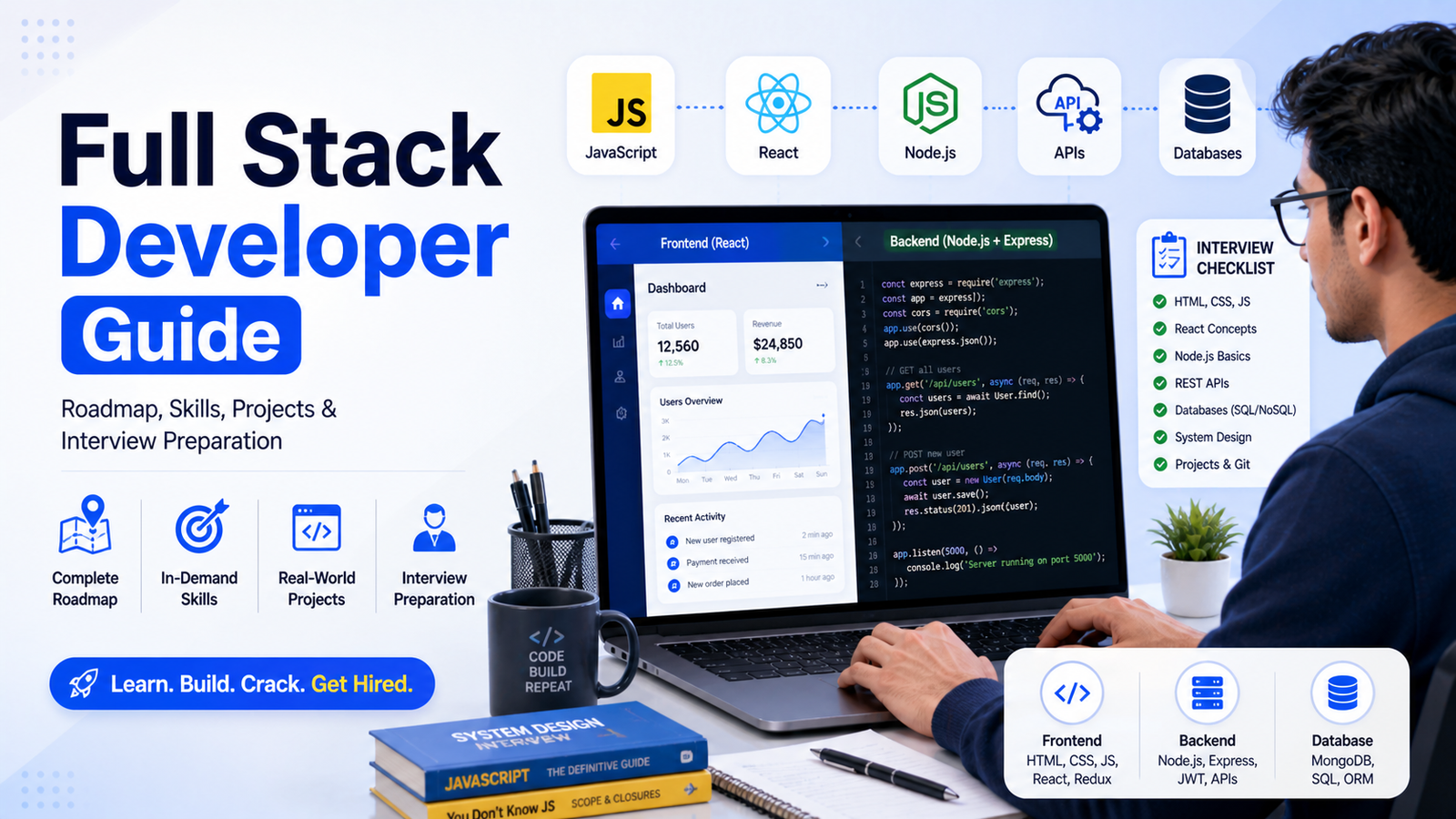
Top 50 Full Stack Developer Interview Questions and Answers for Freshers (2026 Guide)
Full Stack Developer roles are one of the most in-demand jobs for engineering students and fresh graduates in 2026. Companies expect candidates to understand both frontend and backend development along with databases, APIs, and deployment basics.
In interviews, recruiters focus on fundamentals, practical knowledge, and project understanding rather than only theoretical answers. This guide includes the top 50 Full Stack Developer interview questions categorized into Basic, Intermediate, Advanced, and Hands-on questions.
Each answer is written in a clear, practical, and interview-ready format with examples to help freshers perform confidently.
Also Read: Top Data Scientist Interview Questions for Freshers with Answers
ATS-Friendly Resume Creation Guide for Freshers Using Overleaf and ChatGPT
Basic Full Stack Developer Interview Questions (Detailed Answers)
1. What is Full Stack Development?
Answer:
Full Stack Development refers to building both the frontend (client-side) and backend (server-side) parts of a web application. A full stack developer works with UI, server logic, APIs, and databases together. This means they understand how data flows from the user interface to the database and back.
For example, in a job portal application:
- Frontend (React) displays job listings
- Backend (Node.js) handles login and job posting logic
- Database (MongoDB) stores user and job data
Companies prefer full stack developers because they can handle complete development and reduce dependency on multiple teams. It also improves problem-solving ability across the system.
2. What is the difference between frontend and backend?
Answer:
Frontend is the part of the application that users directly interact with, such as buttons, forms, and layouts. It is built using HTML, CSS, and JavaScript (React, Angular). Backend is responsible for handling business logic, authentication, database operations, and APIs using Node.js, Java, or Python.
For example:
- Clicking “Login” button → Frontend action
- Verifying username/password → Backend logic
- Fetching user data → Database interaction
Both frontend and backend must work together to create a complete application. A full stack developer understands both sides clearly.
3. What is HTML?
Answer:
HTML (HyperText Markup Language) is used to structure web pages. It defines elements like headings, paragraphs, forms, buttons, and images. HTML acts as the skeleton of a webpage.
For example, a login page contains:
- Input fields for username and password
- A login button
- Labels and headings
HTML alone does not provide styling or functionality. It works with CSS for design and JavaScript for interactivity. Every website starts with HTML.
4. What is CSS?
Answer:
CSS (Cascading Style Sheets) is used to style and design web pages. It controls layout, colors, fonts, spacing, and responsiveness.
For example:
- Changing button color to blue
- Aligning form to center
- Making website mobile-friendly
Without CSS, websites look plain and unstructured. CSS also supports responsive design using media queries, which ensures websites work on mobile, tablet, and desktop screens.
5. What is JavaScript?
Answer:
JavaScript is a programming language used to make web pages interactive and dynamic. It handles events, validations, API calls, and real-time updates.
For example:
- Validating login form before submission
- Showing error message if password is wrong
- Fetching data from server using APIs
JavaScript runs in the browser and also on the server using Node.js. It is one of the most important skills for full stack developers.
6. What is a database?
Answer:
A database is used to store, manage, and retrieve data efficiently. Applications use databases to save user data, transactions, and application records.
Types of databases:
- SQL (MySQL, PostgreSQL)
- NoSQL (MongoDB)
For example, in an e-commerce app:
- User details stored in database
- Products stored in database
- Orders stored in database
Without databases, applications cannot store or manage data.
7. What is an API?
Answer:
API (Application Programming Interface) allows communication between frontend and backend systems. It sends requests and receives responses.
For example:
- User enters login details → frontend sends API request
- Backend validates data → sends response
APIs help different systems interact smoothly. They are essential for modern web applications.
8. What is HTTP and HTTPS?
Answer:
HTTP is a protocol used for communication between client and server. HTTPS is a secure version of HTTP that encrypts data using SSL/TLS.
For example:
- HTTP → data is not secure
- HTTPS → data is encrypted (used for login, payments)
Most modern websites use HTTPS to protect sensitive user data.
9. What is Git?
Answer:
Git is a version control system used to track changes in code and collaborate with teams. It helps developers manage project versions and avoid conflicts.
For example:
- Saving code changes (commit)
- Working on different features (branches)
- Collaborating via GitHub
Git is essential in real-world development environments.
10. What is responsive design?
Answer:
Responsive design ensures that websites adapt to different screen sizes like mobile, tablet, and desktop. It improves user experience.
For example:
- Mobile → stacked layout
- Desktop → side-by-side layout
CSS media queries and flexible layouts are used for responsive design. It is mandatory for modern web development.
11. What is DOM?
Answer:
DOM (Document Object Model) represents HTML elements as objects that can be manipulated using JavaScript.
For example:
- Changing text content dynamically
- Adding or removing elements
- Handling button clicks
JavaScript interacts with DOM to update UI without reloading the page.
12. What is event handling in JavaScript?
Answer:
Event handling allows JavaScript to respond to user actions like clicks, typing, or scrolling.
For example:
- Click button → show alert
- Submit form → validate inputs
Event listeners are used to handle events effectively.
13. What is a browser?
Answer:
A browser is software used to access and display web pages. Examples include Chrome, Firefox, and Edge.
Browsers:
- Render HTML/CSS
- Execute JavaScript
- Handle HTTP requests
They act as a bridge between users and web applications.
14. What is a server?
Answer:
A server is a system that processes requests and sends responses to clients. It hosts backend logic and data.
For example:
- User requests login → server processes request
- Server sends success or error response
Servers handle multiple users simultaneously.
15. What is hosting?
Answer:
Hosting means deploying a website or application on a server so it can be accessed online.
For example:
- Frontend → deployed on Netlify/Vercel
- Backend → deployed on AWS/Render
Hosting makes applications available to users globally.
Apply for latest Jobs:
Sigmoid Analytics & Cornerstone Hiring Freshers 2026 | Data Analyst & Support Jobs
Basic Full Stack Developer Interview Questions (Detailed Answers)
1. What is Full Stack Development?
Answer:
Full Stack Development refers to building both the frontend (client-side) and backend (server-side) parts of a web application. A full stack developer works with UI, server logic, APIs, and databases together. This means they understand how data flows from the user interface to the database and back.
For example, in a job portal application:
- Frontend (React) displays job listings
- Backend (Node.js) handles login and job posting logic
- Database (MongoDB) stores user and job data
Companies prefer full stack developers because they can handle complete development and reduce dependency on multiple teams. It also improves problem-solving ability across the system.
2. What is the difference between frontend and backend?
Answer:
Frontend is the part of the application that users directly interact with, such as buttons, forms, and layouts. It is built using HTML, CSS, and JavaScript (React, Angular). Backend is responsible for handling business logic, authentication, database operations, and APIs using Node.js, Java, or Python.
For example:
- Clicking “Login” button → Frontend action
- Verifying username/password → Backend logic
- Fetching user data → Database interaction
Both frontend and backend must work together to create a complete application. A full stack developer understands both sides clearly.
3. What is HTML?
Answer:
HTML (HyperText Markup Language) is used to structure web pages. It defines elements like headings, paragraphs, forms, buttons, and images. HTML acts as the skeleton of a webpage.
For example, a login page contains:
- Input fields for username and password
- A login button
- Labels and headings
HTML alone does not provide styling or functionality. It works with CSS for design and JavaScript for interactivity. Every website starts with HTML.
4. What is CSS?
Answer:
CSS (Cascading Style Sheets) is used to style and design web pages. It controls layout, colors, fonts, spacing, and responsiveness.
For example:
- Changing button color to blue
- Aligning form to center
- Making website mobile-friendly
Without CSS, websites look plain and unstructured. CSS also supports responsive design using media queries, which ensures websites work on mobile, tablet, and desktop screens.
5. What is JavaScript?
Answer:
JavaScript is a programming language used to make web pages interactive and dynamic. It handles events, validations, API calls, and real-time updates.
For example:
- Validating login form before submission
- Showing error message if password is wrong
- Fetching data from server using APIs
JavaScript runs in the browser and also on the server using Node.js. It is one of the most important skills for full stack developers.
6. What is a database?
Answer:
A database is used to store, manage, and retrieve data efficiently. Applications use databases to save user data, transactions, and application records.
Types of databases:
- SQL (MySQL, PostgreSQL)
- NoSQL (MongoDB)
For example, in an e-commerce app:
- User details stored in database
- Products stored in database
- Orders stored in database
Without databases, applications cannot store or manage data.
7. What is an API?
Answer:
API (Application Programming Interface) allows communication between frontend and backend systems. It sends requests and receives responses.
For example:
- User enters login details → frontend sends API request
- Backend validates data → sends response
APIs help different systems interact smoothly. They are essential for modern web applications.
8. What is HTTP and HTTPS?
Answer:
HTTP is a protocol used for communication between client and server. HTTPS is a secure version of HTTP that encrypts data using SSL/TLS.
For example:
- HTTP → data is not secure
- HTTPS → data is encrypted (used for login, payments)
Most modern websites use HTTPS to protect sensitive user data.
9. What is Git?
Answer:
Git is a version control system used to track changes in code and collaborate with teams. It helps developers manage project versions and avoid conflicts.
For example:
- Saving code changes (commit)
- Working on different features (branches)
- Collaborating via GitHub
Git is essential in real-world development environments.
10. What is responsive design?
Answer:
Responsive design ensures that websites adapt to different screen sizes like mobile, tablet, and desktop. It improves user experience.
For example:
- Mobile → stacked layout
- Desktop → side-by-side layout
CSS media queries and flexible layouts are used for responsive design. It is mandatory for modern web development.
11. What is DOM?
Answer:
DOM (Document Object Model) represents HTML elements as objects that can be manipulated using JavaScript.
For example:
- Changing text content dynamically
- Adding or removing elements
- Handling button clicks
JavaScript interacts with DOM to update UI without reloading the page.
12. What is event handling in JavaScript?
Answer:
Event handling allows JavaScript to respond to user actions like clicks, typing, or scrolling.
For example:
- Click button → show alert
- Submit form → validate inputs
Event listeners are used to handle events effectively.
13. What is a browser?
Answer:
A browser is software used to access and display web pages. Examples include Chrome, Firefox, and Edge.
Browsers:
- Render HTML/CSS
- Execute JavaScript
- Handle HTTP requests
They act as a bridge between users and web applications.
14. What is a server?
Answer:
A server is a system that processes requests and sends responses to clients. It hosts backend logic and data.
For example:
- User requests login → server processes request
- Server sends success or error response
Servers handle multiple users simultaneously.
15. What is hosting?
Answer:
Hosting means deploying a website or application on a server so it can be accessed online.
For example:
- Frontend → deployed on Netlify/Vercel
- Backend → deployed on AWS/Render
Hosting makes applications available to users globally.
Intermediate Full Stack Developer Interview Questions (Detailed Answers)
16. What is React and why is it used?
Answer:
React is a JavaScript library used to build user interfaces, especially for single-page applications. It allows developers to create reusable UI components, which makes development faster and more organized.
React uses a Virtual DOM to improve performance by updating only the changed parts of the UI instead of reloading the entire page.
Example:
- A navbar component can be reused across multiple pages
- A product card component can display different products dynamically
React is widely used because it improves performance, code reusability, and scalability in modern applications.
17. What is Node.js?
Answer:
Node.js is a runtime environment that allows JavaScript to run on the server side. It is used to build backend services, APIs, and server logic.
Node.js uses an event-driven, non-blocking architecture, which makes it highly efficient for handling multiple requests.
Example:
- Handling login authentication
- Fetching user data from database
- Processing API requests
Node.js is popular because it allows developers to use JavaScript for both frontend and backend.
18. What is Express.js?
Answer:
Express.js is a lightweight backend framework built on top of Node.js. It simplifies routing, middleware, and API development.
Instead of writing complex server logic, Express provides simple methods to handle requests and responses.
Example:
Creating a login API:
app.post(‘/login’, (req, res) => { … })
Express helps developers build scalable backend applications quickly and efficiently.
19. What is REST API?
Answer:
REST API is a standard way of communication between client and server using HTTP methods like GET, POST, PUT, and DELETE.
Each method performs a specific operation:
- GET → Fetch data
- POST → Create data
- PUT → Update data
- DELETE → Remove data
Example:
Fetching user profile → GET /user
REST APIs are widely used because they are simple, scalable, and easy to integrate.
20. What is JSON?
Answer:
JSON (JavaScript Object Notation) is a lightweight format used to exchange data between frontend and backend.
It is easy to read and write compared to XML.
Example:
{ “name”: “Rahul”, “age”: 22 }
Most APIs send and receive data in JSON format, making it an essential concept for full stack developers.
21. What is authentication?
Answer:
Authentication is the process of verifying a user’s identity using credentials like username and password.
Common methods include JWT (JSON Web Token) and session-based authentication.
Example:
- User logs in → credentials verified
- System generates token → user gets access
Authentication ensures that only valid users can access the system.
22. What is authorization?
Answer:
Authorization determines what actions a user is allowed to perform after authentication.
Example:
- Admin → can delete users
- Normal user → cannot delete data
Authorization improves security by restricting access based on roles.
23. What is middleware?
Answer:
Middleware functions run between request and response in backend applications.
They are used for:
- Authentication
- Logging
- Validation
Example:
Checking if user is logged in before accessing dashboard.
Middleware improves code organization and security.
24. What is MongoDB?
Answer:
MongoDB is a NoSQL database that stores data in JSON-like documents instead of tables.
It is flexible and scalable.
Example:
User data stored as:
{ name: “Rahul”, skills: [“Java”, “React”] }
MongoDB is widely used in MERN stack applications.
25. What is MVC architecture?
Answer:
MVC stands for Model, View, Controller.
- Model → handles data
- View → UI
- Controller → business logic
Example:
Login system:
- Model → user data
- View → login page
- Controller → authentication logic
MVC improves code structure and maintainability.
Advanced Full Stack Developer Interview Questions (Detailed Answers)
26. What is Virtual DOM?
Answer:
Virtual DOM is a lightweight copy of the real DOM used by React to optimize performance.
Instead of updating the entire UI, React updates only the changed elements.
Example:
Updating one item in a list updates only that item, not the full page.
This improves speed and performance significantly.
27. What are React Hooks?
Answer:
React Hooks allow functional components to use state and lifecycle features.
Common hooks:
- useState
- useEffect
Example:
useState manages form input values.
Hooks make code simpler and more readable.
28. What is JWT?
Answer:
JWT (JSON Web Token) is used for secure authentication.
It stores user information in encoded format.
Example:
User logs in → receives token → uses token for API access
JWT is widely used for stateless authentication.
29. What is CORS?
Answer:
CORS allows or restricts resources between different domains.
Example:
Frontend on localhost accessing backend on another server requires CORS.
It prevents unauthorized access and improves security.
30. What is load balancing?
Answer:
Load balancing distributes incoming traffic across multiple servers.
Example:
E-commerce websites handle millions of users using load balancing.
It improves performance and prevents server crashes.
Hands-On Full Stack Developer Interview Questions (Detailed Answers)
31. How would you design a login system?
Answer:
A login system includes frontend form, backend API, and database validation.
Steps:
- User enters credentials
- Backend verifies using database
- Password stored securely using hashing
- JWT token generated for authentication
This ensures secure login and session management.
32. How do you connect frontend to backend?
Answer:
Frontend connects to backend using APIs via Fetch or Axios.
Example:
React app sends POST request to Node.js server.
Backend processes request and sends response.
This communication is essential for full stack applications.
33. How do you deploy a full stack app?
Answer:
Deployment involves hosting frontend, backend, and database.
- Frontend → Vercel/Netlify
- Backend → AWS/Render
- Database → MongoDB Atlas
This makes the app accessible online.
34. How do you optimize performance?
Answer:
Performance optimization includes:
- Lazy loading
- Caching
- Code splitting
Example: loading images only when needed improves speed.
35. Explain Your Project (How to Answer in Interviews)
Answer:
Explaining your project is one of the most important parts of any full stack developer interview. In many cases, this single question can decide whether you get selected or rejected. Recruiters use this question to evaluate your practical knowledge, problem-solving ability, and how deeply you understand your own work.
A strong project explanation should always follow a clear structure:
- Problem Statement
- Solution Approach
- Technologies Used
- Your Role
- Features Implemented
- Challenges Faced
- Real-world Impact
1. Start with the Problem
Begin by explaining what problem your project solves. This shows your ability to think from a real-world perspective.
Example:
Many students and job seekers struggle to find relevant job opportunities in one place. Existing platforms are often cluttered or not beginner-friendly.
This shows you understand user needs.
2. Explain Your Solution
Next, explain how your project solves that problem. Keep it simple and clear.
Example:
To solve this, I developed a Job Portal application that allows users to search for jobs, apply easily, and track their applications in one place.
This connects your project to real-life use cases.
3. Mention Technologies Used
Clearly mention the tech stack. Recruiters want to know what tools you used and why.
Example:
- Frontend: React.js
- Backend: Node.js and Express.js
- Database: MongoDB
- Authentication: JWT
This shows technical clarity and stack awareness.
4. Highlight Features
Explain the key features you implemented in your project.
Example:
- User registration and login system
- Job posting functionality for recruiters
- Job search with filters
- Application tracking dashboard
This demonstrates your hands-on development work.
5. Explain Your Role
If it was a team project, clearly explain your contribution.
Example:
I worked on both frontend and backend, implemented authentication, built APIs, and connected the database.
This shows ownership and accountability.
6. Talk About Challenges
Discuss challenges you faced and how you solved them. This shows problem-solving ability.
Example:
One challenge was handling user authentication securely. I solved this by implementing JWT-based authentication and password hashing using bcrypt.
This creates a strong impression.
7. Explain Real-World Impact
Finally, connect your project to real-world usage.
Example:
This project can help students and job seekers easily find opportunities and manage applications efficiently in one platform.
This shows practical thinking.
Complete Example Answer (Interview Ready)
I built a Job Portal application using MERN stack to help students and job seekers find relevant job opportunities easily. The platform allows users to register, log in securely, search for jobs, and track their applications.
I used React.js for frontend, Node.js and Express.js for backend, and MongoDB for database management. I implemented JWT-based authentication to ensure secure login and protected routes.
My role involved building both frontend UI and backend APIs, handling database operations, and integrating all components together. One major challenge was implementing secure authentication, which I solved using bcrypt and JWT tokens.
This project demonstrates my ability to build a complete full stack application and solve real-world problems effectively.
Final Tip
Always explain your project clearly, confidently, and with real examples. Avoid memorized answers. The interviewer is not testing your memory—they are testing your understanding.
Strong project explanation = High selection chances
Final Interview Tip
Recruiters expect clarity, not complexity. Always explain concepts with examples and real-world use cases.
Winning Formula: Strong Basics + Projects + Communication = Selection
Advanced Hands-On Full Stack Developer Interview Questions with Detailed Answers
In real interviews, especially for freshers, recruiters focus heavily on hands-on problem-solving questions. These questions test how you think, how you design systems, and how you apply your knowledge in real scenarios.
Below are high-quality, real-world, hands-on questions with detailed explanations and examples to help you stand out in interviews.
1. How would you design a user authentication system (Signup & Login)?
Answer:
To design a secure authentication system, I would first create a frontend form for signup and login. On submission, the frontend sends data to the backend API. The backend validates inputs, hashes the password using bcrypt, and stores it in the database.
During login, the backend verifies credentials and generates a JWT token. This token is sent to the frontend and stored in localStorage or cookies. It is then used for accessing protected routes.
Example:
In a job portal, users must log in before applying for jobs. Only authenticated users can access the dashboard. This ensures security and controlled access.
This approach ensures password safety, secure sessions, and scalable authentication.
2. How would you build a CRUD application?
Answer:
A CRUD application includes Create, Read, Update, and Delete operations. I would create APIs for each operation in the backend and connect them to frontend components.
For example:
- Create → Add new user or product
- Read → Fetch data from database
- Update → Modify existing data
- Delete → Remove records
Example:
A To-Do application where users can add tasks, update status, delete tasks, and view all tasks.
This is one of the most common full stack use cases and tests complete system understanding.
3. How do you handle API errors in a full stack app?
Answer:
Error handling is important for user experience and debugging. In backend, I use try-catch blocks and send meaningful error responses. In frontend, I display user-friendly messages.
Example:
If login fails, instead of showing server error, display “Invalid username or password.”
Also, logging errors using tools like Winston or console logs helps in debugging production issues.
This ensures better reliability and user experience.
4. How would you design a REST API for a product system?
Answer:
I would create endpoints for product operations:
- GET /products → fetch all products
- GET /products/:id → fetch single product
- POST /products → add new product
- PUT /products/:id → update product
- DELETE /products/:id → delete product
Example:
An e-commerce application uses these APIs to manage products.
This structure follows REST principles and makes APIs scalable and easy to maintain.
5. How would you implement search functionality?
Answer:
Search functionality can be implemented using query parameters in APIs. Backend filters data based on user input.
Example:
GET /jobs?title=developer filters job listings.
For better performance, indexing in databases or using tools like ElasticSearch can be used.
This improves user experience by providing fast and accurate search results.
6. How do you handle large data in applications?
Answer:
Handling large data requires pagination, lazy loading, and optimized queries.
Example:
Instead of loading 10,000 records, show 10–20 records per page.
This reduces load time and improves performance.
Database indexing and caching also help in handling large datasets efficiently.
7. How would you implement role-based access control?
Answer:
Role-based access control (RBAC) restricts access based on user roles.
Example:
- Admin → can delete users
- User → can only view data
I would store role information in the database and verify it in middleware before allowing access.
This ensures security and proper authorization.
8. How do you manage state in a large React app?
Answer:
For large applications, I use Context API or Redux for global state management.
Example:
User login state should be accessible across all components.
Centralized state avoids prop drilling and improves code maintainability.
This is important in scalable applications.
9. How would you optimize database queries?
Answer:
Database optimization includes indexing, reducing unnecessary joins, and selecting only required fields.
Example:
Instead of fetching all columns, fetch only required data like name and email.
Using indexes improves query speed significantly.
This is critical for performance in large applications.
10. How do you handle file uploads?
Answer:
File uploads can be handled using middleware like Multer in Node.js.
Files can be stored locally or in cloud storage like AWS S3.
Example:
Uploading user profile pictures or resumes in job portals.
This feature is commonly used in real-world applications.
11. How do you secure APIs?
Answer:
API security includes authentication, authorization, input validation, and HTTPS.
Example:
Only logged-in users can access user dashboard APIs.
Also, rate limiting prevents abuse and protects the system.
This ensures data protection and secure communication.
12. How would you design a scalable system?
Answer:
Scalability involves using microservices, load balancing, caching, and cloud deployment.
Example:
Using AWS services to handle increasing traffic during peak times.
Separating services improves performance and flexibility.
This is important for large applications like e-commerce platforms.
13. How do you debug production issues?
Answer:
Debugging involves analyzing logs, monitoring systems, and reproducing issues locally.
Example:
If users report login failure, check server logs and database connection.
Tools like logging systems and monitoring dashboards help identify problems quickly.
This ensures system reliability.
14. How do you integrate third-party APIs?
Answer:
Third-party APIs are integrated using HTTP requests with API keys.
Example:
Payment gateway integration like Razorpay or Stripe.
Authentication and proper error handling are important during integration.
This adds additional functionality to applications.
15. How do you explain your project confidently?
Answer:
I explain the problem, solution, technology, features, and impact clearly.
Example:
I built a Job Portal using MERN stack that allows users to search jobs, apply, and track applications.
I highlight my role, challenges, and real-world use case.
This shows strong understanding and practical experience.
Final Tip for Hands-On Interviews
Recruiters focus more on how you think than what you memorize. Always explain your approach step by step, use real-world examples, and show problem-solving ability.
Key Formula: Practical Thinking + Clear Explanation + Real Examples = Selection
Also Read this:
Top Java Full Stack Developer Interview Questions and Answers for Freshers (Detailed Guide)
This guide provides detailed Java Full Stack interview questions and answers designed specifically for freshers. Each answer includes practical explanations and real-world examples to help you perform confidently in interviews.
Software Development Engineer Interview Guide for Freshers
Top Data Scientist Interview Questions for Freshers with Answers
Basic Java Full Stack Interview Questions (Detailed Answers)
1. What is Java?
Answer:
Java is a high-level, object-oriented programming language used to build web applications, enterprise systems, and mobile applications. It is platform-independent, meaning Java code can run on any system that has a Java Virtual Machine (JVM).
Java follows the principle of “Write Once, Run Anywhere,” which makes it highly popular in industry. It is widely used in backend development with frameworks like Spring Boot.
Example: Applications like banking systems, e-commerce platforms, and Android apps are built using Java.
2. What is JVM?
Answer:
JVM (Java Virtual Machine) is a component that executes Java bytecode and converts it into machine-readable instructions. It allows Java programs to run on different platforms without modification.
JVM also manages memory, garbage collection, and runtime execution.
Example: When you compile a Java program, it converts into bytecode, and JVM runs that bytecode on any system.
This is the reason Java is platform-independent.
3. What is the difference between JDK, JRE, and JVM?
Answer:
JDK (Java Development Kit) is used to develop Java applications, while JRE (Java Runtime Environment) is used to run them. JVM is a part of JRE that executes bytecode.
JDK includes tools like compiler and debugger, whereas JRE only includes libraries and JVM.
Example: Developers install JDK to write code, while users only need JRE to run Java applications.
This separation helps in efficient development and execution.
4. What is Object-Oriented Programming (OOP)?
Answer:
OOP is a programming concept where code is organized using objects and classes. It focuses on real-world modeling and improves code reusability.
The main concepts include inheritance, encapsulation, polymorphism, and abstraction.
Example: In a banking system, a “User” class can have properties like name and balance, and methods like deposit and withdraw.
OOP helps in writing clean, maintainable, and scalable code.
5. What is a class and object?
Answer:
A class is a blueprint used to create objects, while an object is an instance of a class.
Classes define properties and methods, and objects use them.
Example: A class “Car” may define attributes like color and speed, while an object “BMW” represents a real car.
This concept helps in organizing code effectively.
6. What is inheritance?
Answer:
Inheritance allows one class to acquire properties and methods of another class. It promotes code reuse and reduces redundancy.
There are different types like single, multiple, and hierarchical inheritance.
Example: A “Vehicle” class can have properties like speed, and a “Car” class can inherit those properties.
This makes code more modular and reusable.
7. What is polymorphism?
Answer:
Polymorphism allows methods to perform different tasks based on input. It is achieved through method overloading and method overriding.
Example: A method “add()” can add integers or strings depending on input type.
This improves flexibility and code readability.
8. What is encapsulation?
Answer:
Encapsulation means hiding internal data and allowing access through public methods. It improves security and data protection.
Example: Using private variables and accessing them through getters and setters.
This prevents unauthorized access to data.
9. What is abstraction?
Answer:
Abstraction hides implementation details and shows only essential features.
It is achieved using abstract classes and interfaces.
Example: A user interacts with a button but doesn’t know how it works internally.
This simplifies complex systems.
10. What is HTML?
Answer:
HTML is used to structure web pages. It defines elements like headings, forms, buttons, and images.
Example: Login page uses HTML for input fields and buttons.
HTML forms the base of all web applications.
11. What is CSS?
Answer:
CSS is used to style web pages. It controls layout, colors, fonts, and responsiveness.
Example: Designing a login form with proper alignment and colors.
CSS improves user experience and visual appearance.
12. What is JavaScript?
Answer:
JavaScript is used to add interactivity to web pages.
It handles events, validations, and API calls.
Example: Validating login form before submission.
It is essential for frontend and also used in backend with Node.js.
13. What is a database?
Answer:
A database stores and manages application data efficiently.
It allows storing user details, transactions, and records.
Example: E-commerce apps store products and user data in databases.
Without databases, applications cannot function properly.
14. What is SQL?
Answer:
SQL is used to interact with relational databases.
It allows operations like SELECT, INSERT, UPDATE, DELETE.
Example: Fetching user data from database.
SQL is essential for backend development.
15. What is an API?
Answer:
API allows communication between frontend and backend systems.
It sends requests and receives responses.
Example: Login form sending data to backend.
APIs are the backbone of modern applications.
Apply for latest jobs:
Frontier, Amazon & NVIDIA Hiring Freshers 2026 | Remote & Software Engineer Jobs
Atmosera, Oracle & Deltek Hiring Freshers 2026
Intermediate Java Full Stack Interview Questions (Detailed Answers)
16. What is Spring Boot?
Answer:
Spring Boot is a Java framework used to build backend applications quickly with minimal configuration. It is built on top of the Spring Framework and simplifies application setup by providing pre-configured templates.
It allows developers to create production-ready applications with embedded servers like Tomcat, without needing external setup.
Example: In a job portal application, Spring Boot can be used to create APIs for login, job posting, and application tracking.
It improves development speed, reduces boilerplate code, and is widely used in enterprise applications.
17. What is Hibernate?
Answer:
Hibernate is an Object-Relational Mapping (ORM) tool that helps developers interact with databases using Java objects instead of writing SQL queries manually.
It maps Java classes to database tables and automatically handles CRUD operations.
Example: Instead of writing SQL queries to insert user data, Hibernate allows saving objects directly using methods like save().
This reduces code complexity and improves maintainability.
18. What is a REST API?
Answer:
REST API is a way for client and server to communicate using HTTP methods like GET, POST, PUT, and DELETE.
Each method performs a specific operation such as fetching, creating, updating, or deleting data.
Example: GET /users fetches user data, POST /users creates a new user.
REST APIs are widely used because they are simple, scalable, and platform-independent.
19. What is JSON?
Answer:
JSON (JavaScript Object Notation) is a lightweight data format used to exchange data between frontend and backend.
It is easy to read and write compared to XML.
Example: { “name”: “Rahul”, “age”: 22 }
Most APIs use JSON format for sending and receiving data.
20. What is MVC architecture?
Answer:
MVC stands for Model, View, and Controller. It separates application logic into three layers for better organization.
- Model → handles data
- View → user interface
- Controller → business logic
Example: In a login system, the model handles user data, view displays login form, and controller processes authentication.
This architecture improves maintainability and scalability.
21. What is Dependency Injection?
Answer:
Dependency Injection (DI) is a design pattern where objects are provided with their dependencies instead of creating them internally.
It reduces tight coupling and improves code flexibility.
Example: In Spring Boot, services are injected using @Autowired instead of manually creating objects.
This makes code easier to test and maintain.
22. What is a Servlet?
Answer:
A Servlet is a Java class used to handle HTTP requests and responses in web applications.
It runs on a server and processes client requests like form submissions.
Example: When a user submits a login form, a servlet processes the request and returns a response.
Servlets are the foundation of Java web applications.
23. What is JSP?
Answer:
JSP (JavaServer Pages) is used to create dynamic web pages by embedding Java code into HTML.
It simplifies UI development by combining backend logic with frontend design.
Example: Displaying user data dynamically on a webpage.
However, modern applications prefer frameworks like React instead of JSP.
24. What is Session Management?
Answer:
Session management is used to store user data during multiple requests in a web application.
It helps maintain user state across pages.
Example: After login, session stores user details so they don’t need to log in again.
Sessions can be implemented using cookies or tokens.
25. What is JDBC?
Answer:
JDBC (Java Database Connectivity) is used to connect Java applications with databases.
It allows executing SQL queries from Java code.
Example: Fetching user data using SELECT query.
JDBC is basic, while Hibernate provides a more advanced approach.
26. What is Git?
Answer:
Git is a version control system used to track code changes and collaborate with teams.
It allows developers to manage different versions of code.
Example: Using branches to develop features separately.
Git is essential in modern software development.
27. What is HTTP and HTTPS?
Answer:
HTTP is a protocol used for communication between client and server, while HTTPS is a secure version with encryption.
HTTPS protects sensitive data like passwords.
Example: Login pages always use HTTPS.
This ensures secure communication.
28. What is Authentication?
Answer:
Authentication verifies user identity using credentials like username and password.
It ensures only valid users can access the system.
Example: Login system in applications.
Common methods include JWT and session-based authentication.
29. What is Authorization?
Answer:
Authorization determines what actions a user can perform after authentication.
Example:
- Admin → full access
- User → limited access
This improves application security.
30. What is Exception Handling?
Answer:
Exception handling is used to manage runtime errors and prevent application crashes.
It uses try-catch blocks.
Example: Handling database connection errors.
This improves application reliability and user experience.
Advanced Java Full Stack Interview Questions (Detailed Answers)
31. What is Microservices Architecture?
Answer:
Microservices architecture is a design approach where an application is divided into small, independent services, each responsible for a specific function. These services communicate with each other through APIs.
This approach improves scalability, flexibility, and maintainability compared to monolithic architecture.
Example: In an e-commerce system, separate services handle user management, payments, and orders.
If one service fails, others can still function, making the system more resilient.
32. What is Spring Security?
Answer:
Spring Security is a framework used to secure Java applications by providing authentication and authorization mechanisms.
It helps protect APIs and applications from unauthorized access.
Example: Restricting access so only logged-in users can view dashboards.
It supports features like role-based access control and integration with JWT.
33. What is JWT (JSON Web Token)?
Answer:
JWT is a secure way of transmitting user information between client and server in the form of a token.
After login, a token is generated and sent to the client, which is used for subsequent requests.
Example: Accessing protected routes using a token instead of logging in again.
JWT is widely used in modern web applications for stateless authentication.
34. What is Multithreading?
Answer:
Multithreading allows multiple threads to run simultaneously within a program, improving performance.
It is useful for handling multiple user requests at the same time.
Example: A web server handling multiple users simultaneously.
This improves efficiency and resource utilization.
35. What is Caching?
Answer:
Caching stores frequently accessed data in memory to reduce database calls and improve performance.
Example: Storing frequently viewed products in memory instead of fetching from database every time.
This reduces response time and improves user experience.
36. What is Load Balancing?
Answer:
Load balancing distributes incoming traffic across multiple servers to ensure no single server is overloaded.
Example: High-traffic websites like Amazon use load balancers.
This improves performance and ensures system reliability.
37. What is Docker?
Answer:
Docker is a containerization tool that packages applications with all dependencies into containers.
This ensures consistency across development and production environments.
Example: Running a Spring Boot app in a Docker container.
It simplifies deployment and avoids environment issues.
38. What is Kubernetes?
Answer:
Kubernetes is used to manage containerized applications at scale.
It handles deployment, scaling, and management of containers.
Example: Automatically scaling application based on traffic.
It is widely used in cloud environments.
39. What is CI/CD?
Answer:
CI/CD stands for Continuous Integration and Continuous Deployment.
It automates code building, testing, and deployment.
Example: Automatically deploying code after pushing to GitHub.
This reduces manual effort and improves development speed.
40. What is API Gateway?
Answer:
API Gateway acts as a single entry point for all client requests in a microservices architecture.
It handles routing, authentication, and load balancing.
Example: Managing multiple backend services through one endpoint.
This simplifies system design.
41. What is NoSQL Database?
Answer:
NoSQL databases store data in flexible formats like JSON instead of tables.
Example: MongoDB storing user data as documents.
They are scalable and suitable for large applications.
42. What is Thread Pool?
Answer:
Thread pool manages multiple threads efficiently by reusing them instead of creating new ones.
Example: Handling multiple requests in a web server.
This improves performance and reduces overhead.
43. What are Design Patterns?
Answer:
Design patterns are reusable solutions to common software design problems.
Example: Singleton, Factory, Observer patterns.
They improve code quality and maintainability.
44. What is Singleton Pattern?
Answer:
Singleton ensures that only one instance of a class exists throughout the application.
Example: Database connection manager.
This prevents multiple unnecessary instances.
45. Difference between REST and SOAP?
Answer:
REST is lightweight and uses JSON, while SOAP is more secure but complex and uses XML.
REST is faster and widely used in modern applications.
SOAP is used in enterprise-level secure systems.
Hands-On Java Full Stack Interview Questions (Detailed Answers)
46. How would you design a login system?
Answer:
A login system involves frontend form, backend validation, and database storage.
I would hash passwords using bcrypt and use JWT for authentication.
Example: After login, token is generated and used for accessing protected routes.
This ensures security and session management.
47. How do you connect frontend to backend?
Answer:
Frontend communicates with backend using REST APIs.
Example: React app sends POST request to Spring Boot API.
Backend processes and returns response.
This is core of full stack development.
48. How do you handle database operations?
Answer:
Database operations are handled using Hibernate or JDBC.
Example: Saving user data using repository methods.
This simplifies database interaction.
49. How do you deploy an application?
Answer:
Deployment involves hosting backend on cloud (AWS) and frontend on platforms like Netlify.
Example: Deploying Spring Boot app using Docker.
This makes application accessible online.
50. How do you debug issues?
Answer:
Debugging involves checking logs, identifying errors, and fixing issues.
Example: Using breakpoints in IDE.
This improves application reliability.
51. How do you secure APIs?
Answer:
APIs are secured using authentication, validation, and HTTPS.
Example: JWT-based authentication.
This prevents unauthorized access.
52. How do you optimize performance?
Answer:
Performance is improved using caching, indexing, and efficient queries.
Example: Using Redis cache.
This reduces load time.
53. How do you handle errors?
Answer:
Error handling is done using try-catch blocks and global exception handlers.
Example: Handling API failures gracefully.
This improves user experience.
54. How do you manage sessions?
Answer:
Sessions can be managed using cookies or JWT tokens.
Example: Keeping user logged in.
This maintains user state.
55. How do you design REST APIs?
Answer:
Using HTTP methods like GET, POST, PUT, DELETE.
Example: /users API for CRUD operations.
This ensures clean architecture.
56. How do you handle large data?
Answer:
Using pagination and optimized queries.
Example: Displaying 10 records per page.
This improves performance.
57. How do you integrate third-party APIs?
Answer:
Using HTTP requests with API keys.
Example: Payment gateway integration.
This adds functionality.
58. How do you test APIs?
Answer:
Using tools like Postman.
Example: Testing GET/POST requests.
This ensures correctness.
59. How do you structure a project?
Answer:
Using MVC architecture with controllers, services, and repositories.
This improves maintainability.
60. Explain your project
Answer:
Explain problem, solution, technologies, and impact clearly.
Example: Job portal with authentication and tracking.
This shows practical knowledge.
Scenario-Based Java Full Stack Interview Questions (Most Important)
These questions are extremely important because they test your real-world thinking, problem-solving ability, and how you behave in actual work situations. Many companies focus heavily on these for freshers.
61. What will you do if your API fails in production?
Answer:
If an API fails in production, my first step would be to stay calm and quickly analyze the issue. I would check server logs and monitoring tools to identify the exact error.
Then I would try to reproduce the issue in a local or staging environment to understand the root cause. After identifying the problem, I would fix the issue and deploy a hotfix.
Example: If login API fails, I would check database connection, authentication logic, and error logs.
Finally, I would add proper validation and testing to prevent similar issues in the future.
62. How will you handle tight deadlines?
Answer:
When handling tight deadlines, I focus on prioritization and planning. I break down the task into smaller parts and identify high-priority work.
I avoid unnecessary perfection and focus on delivering a working solution first. If required, I communicate with my team to ensure better coordination.
Example: Completing core features first and improving UI later.
This approach ensures timely delivery without compromising quality.
63. What will you do if your teammate is not contributing?
Answer:
If a teammate is not contributing, I would first try to understand the reason by communicating with them politely. Sometimes issues arise due to confusion or workload.
I would clarify tasks and try to support them if needed. If the issue continues and affects the project, I would escalate it to the team lead professionally.
Example: Helping teammate understand API integration.
This ensures teamwork without creating conflicts.
64. What if you don’t know the answer to a technical question?
Answer:
If I don’t know the answer, I would be honest and admit it instead of guessing incorrectly. I would try to explain what I know related to the topic.
I would also show my willingness to learn by saying I will explore and understand the concept after the interview.
Example: “I am not fully sure, but based on my understanding…”
This shows honesty and a learning mindset.
65. How do you handle bugs in your code?
Answer:
I handle bugs by first identifying the root cause through debugging and logs. Then I fix the issue step by step and test the solution.
I also ensure that similar bugs don’t occur by improving validation and writing better code.
Example: Fixing incorrect API response due to wrong query.
This improves code quality and reliability.
66. How do you manage multiple tasks at the same time?
Answer:
I manage multiple tasks by prioritizing them based on urgency and importance. I break tasks into smaller steps and focus on completing one task at a time.
I also use planning techniques like to-do lists or task tracking tools.
Example: Completing backend APIs before UI integration.
This helps maintain productivity and efficiency.
67. What will you do if your application is running slow?
Answer:
If an application is slow, I would analyze performance bottlenecks such as database queries, API response time, or frontend rendering issues.
I would optimize queries, implement caching, and reduce unnecessary API calls.
Example: Adding pagination to handle large data.
This improves performance and user experience.
68. What if your system crashes during peak usage?
Answer:
I would immediately check server logs and monitoring tools to identify the cause. Then I would restart services if required and fix the issue.
After resolving, I would implement improvements like load balancing and scaling.
Example: Using cloud auto-scaling to handle traffic.
This ensures system stability.
69. How do you handle security issues in your application?
Answer:
I ensure application security by implementing authentication, authorization, and data validation.
I use HTTPS, secure APIs, and protect sensitive data.
Example: Using JWT for authentication and encrypting passwords.
This prevents unauthorized access and data breaches.
70. What if a client asks for a feature you don’t know how to build?
Answer:
If I don’t know how to build a feature, I would first analyze the requirement and break it into smaller parts.
I would research, learn the required technology, and implement it step by step.
Example: Learning new API integration for payment system.
This shows adaptability and willingness to learn.
71. How do you ensure your code is clean and maintainable?
Answer:
I write clean code by following proper naming conventions, modular structure, and design patterns.
I also add comments and follow coding standards.
Example: Using MVC structure for better organization.
This makes code easier to understand and maintain.
72. How do you handle feedback from seniors?
Answer:
I consider feedback as an opportunity to improve. I listen carefully, understand the suggestions, and apply them in my work.
Example: Improving code structure based on feedback.
This helps in continuous learning and growth.
73. What motivates you as a developer?
Answer:
I am motivated by solving real-world problems and building applications that can help users.
I enjoy learning new technologies and improving my skills.
Example: Building projects that solve real user problems.
This keeps me engaged and passionate about development.
74. What will you do during your initial training period?
Answer:
During training, I will focus on learning core concepts, improving coding skills, and understanding real-world development practices.
I will actively participate in tasks, collaborate with team members, and take feedback seriously.
This will help me prepare for real project work.
75. Why should we hire you for this role?
Answer:
I believe I am a good fit because I have strong fundamentals, hands-on project experience, and a strong willingness to learn.
I am adaptable, hardworking, and ready to take challenges.
Example: My projects demonstrate my ability to build real applications.
I am confident that I can grow quickly and contribute effectively to the team.
Final Conclusion
To crack Java Full Stack interviews as a fresher:
- Master fundamentals
- Build real projects
- Practice coding regularly
- Improve communication
- Prepare scenario-based answers
Final Formula:
Concepts + Projects + Practical Thinking + Communication = Job Offer