
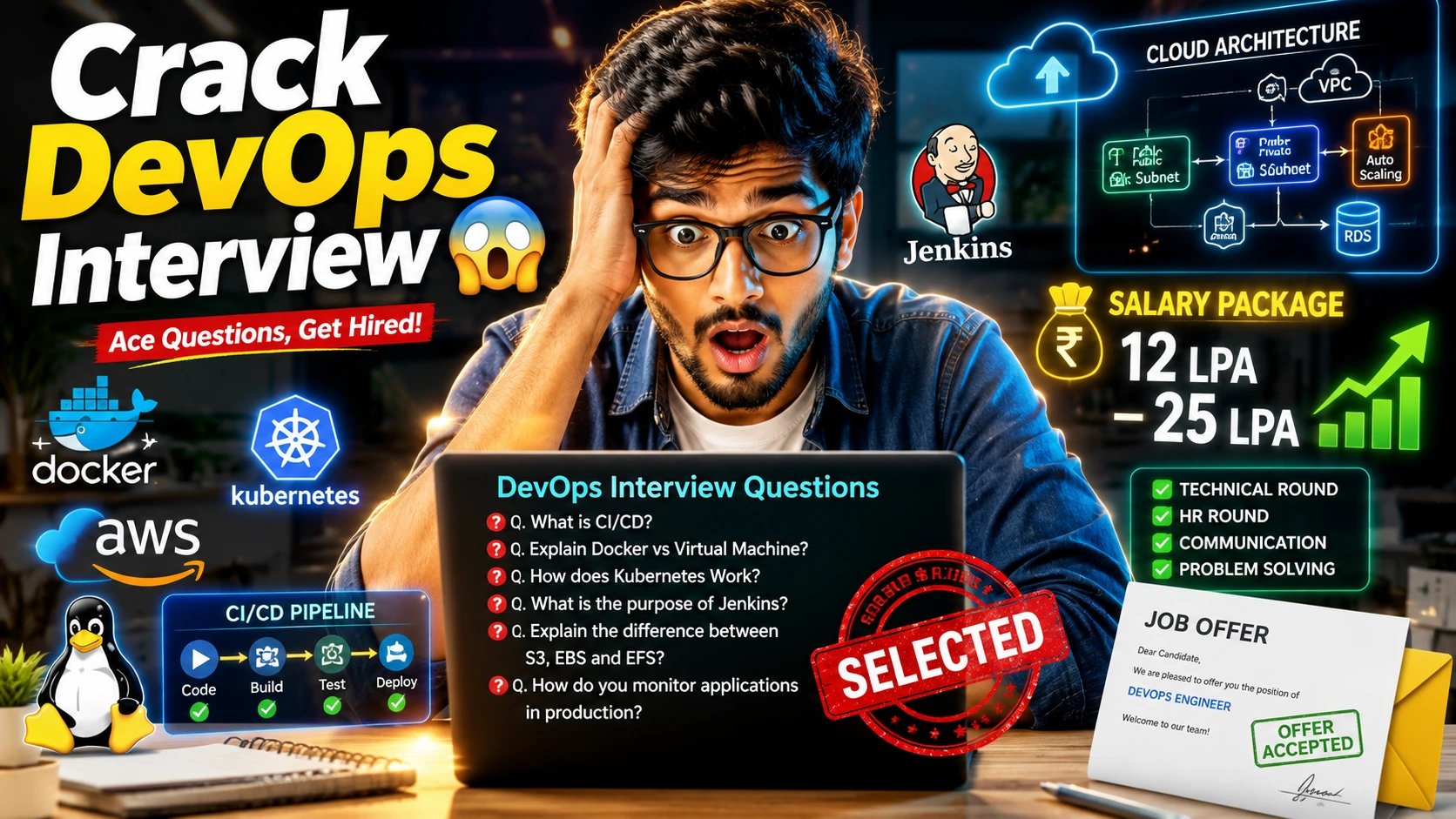
Complete DevOps Interview Preparation Guide for Freshers and Experienced Professionals
DevOps is one of the most in-demand technology domains today. Organizations are rapidly adopting DevOps practices to improve software quality, accelerate deployments, reduce operational costs, and enhance collaboration between development and operations teams. As a result, companies such as Amazon, Microsoft, Google, IBM, Infosys, Accenture, TCS, Wipro, Cognizant, Capgemini, Oracle, and Deloitte frequently hire DevOps Engineers, Cloud Engineers, Site Reliability Engineers (SREs), Platform Engineers, and Automation Engineers.
This comprehensive DevOps Interview Preparation Guide covers DevOps fundamentals, Linux, Git, Jenkins, Docker, Kubernetes, Cloud Computing, Terraform, CI/CD, real-world scenarios, project discussions, and behavioral questions.
Top Git Interview Questions and Answers for Freshers
Section 1: What is DevOps?
1. What is DevOps?
Answer:
DevOps is a combination of Development (Dev) and Operations (Ops) practices aimed at improving collaboration between software development and IT operations teams. The primary goal of DevOps is to deliver software faster, more reliably, and with higher quality. It emphasizes automation, continuous integration, continuous delivery, monitoring, and feedback. DevOps removes traditional silos between teams and enables organizations to release software frequently and efficiently. Modern organizations adopt DevOps to improve business agility and customer satisfaction.
Example:
Instead of waiting several months for a software release, a DevOps team can deploy updates multiple times per day using automated pipelines.
2. What are the Benefits of DevOps?
Answer:
DevOps provides several business and technical benefits. It accelerates software delivery, reduces deployment failures, improves collaboration, enhances system reliability, and increases customer satisfaction. Automation reduces manual effort and minimizes human errors. Continuous monitoring enables proactive issue detection and faster incident resolution. These benefits help organizations respond quickly to market demands while maintaining application stability.
Key Benefits:
- Faster Software Delivery
- Improved Collaboration
- Higher Deployment Success Rate
- Reduced Downtime
- Better Scalability
- Enhanced Security
3. Why Do Companies Adopt DevOps?
Answer:
Companies adopt DevOps to improve software release speed, reduce operational bottlenecks, and increase customer satisfaction. Traditional software development often involves delays caused by communication gaps between teams. DevOps promotes automation and collaboration, enabling organizations to release features quickly and reliably. It also supports cloud-native applications, microservices architectures, and modern software delivery practices.
Example:
Amazon deploys software updates thousands of times daily using DevOps practices and automation.
4. What are the Core Principles of DevOps?
Answer:
DevOps is built on several key principles including collaboration, automation, continuous integration, continuous delivery, monitoring, and feedback. These principles help teams work together efficiently and deliver software consistently. Automation reduces repetitive tasks, while monitoring ensures application health. Continuous feedback allows organizations to improve products based on real-world usage and performance data.
Core Principles:
- Collaboration
- Automation
- Continuous Integration
- Continuous Delivery
- Monitoring
- Continuous Feedback
5. Explain the DevOps Lifecycle.
Answer:
The DevOps lifecycle consists of several interconnected stages that enable continuous software delivery. These stages include Planning, Development, Build, Testing, Release, Deployment, Operations, and Monitoring. Each stage is automated and integrated into a continuous workflow. The lifecycle ensures faster releases, improved quality, and quicker feedback loops.
DevOps Lifecycle:
Plan
 ↓
Develop
 ↓
Build
 ↓
Test
 ↓
Release
 ↓
Deploy
 ↓
Operate
 ↓
Monitor
 ↓
Feedback
6. What is Continuous Integration (CI)?
Answer:
Continuous Integration (CI) is a DevOps practice where developers frequently merge code changes into a shared repository. Automated builds and tests validate each code change before integration. CI helps identify defects early in the development cycle and reduces integration issues. This approach improves code quality and accelerates software delivery.
Example:
Every code commit automatically triggers Jenkins to build and test the application.
7. What is Continuous Delivery (CD)?
Answer:
Continuous Delivery ensures that software is always in a deployable state. Automated testing, validation, and deployment processes prepare applications for production release. Unlike Continuous Deployment, human approval may still be required before deployment. Continuous Delivery reduces release risks and enables organizations to deploy changes whenever needed.
Example:
After passing automated tests, an application is ready for deployment with a single click.
8. What is Continuous Deployment?
Answer:
Continuous Deployment extends Continuous Delivery by automatically deploying validated changes to production without manual intervention. Every successful code change passes through the pipeline and reaches end users. This approach enables rapid feature delivery but requires strong testing and monitoring practices. Organizations such as Netflix and Amazon use Continuous Deployment extensively.
Example:
A bug fix automatically reaches production immediately after passing all pipeline stages.
9. What is Infrastructure as Code (IaC)?
Answer:
Infrastructure as Code (IaC) is the practice of managing infrastructure using code instead of manual configuration. Tools such as Terraform, CloudFormation, and Ansible automate infrastructure provisioning. IaC improves consistency, reduces configuration drift, and accelerates environment creation. It is a fundamental DevOps practice for cloud-native environments.
Example:
A Terraform script automatically creates AWS EC2 instances, VPCs, and security groups.
10. What is Monitoring in DevOps?
Answer:
Monitoring involves continuously observing system performance, application health, resource utilization, and user experience. Monitoring tools help teams identify issues before they impact customers. Effective monitoring improves system reliability, incident response, and operational efficiency. It is an essential component of modern DevOps practices.
Popular Tools:
- Prometheus
- Grafana
- Datadog
- New Relic
- CloudWatch
Section 2: DevOps Fundamentals Interview Questions
11. What is the Difference Between Agile and DevOps?
Answer:
Agile focuses on improving software development processes through iterative development and customer feedback. DevOps extends Agile principles by integrating operations teams and automating software delivery pipelines. Agile primarily addresses development efficiency, while DevOps focuses on end-to-end software delivery and operational excellence. Both methodologies complement each other in modern organizations.
| Agile | DevOps |
|---|---|
| Development Focus | Development + Operations |
| Iterative Delivery | Continuous Delivery |
| Customer Feedback | Automation & Monitoring |
12. What are DevOps KPIs?
Answer:
Key Performance Indicators (KPIs) measure the effectiveness of DevOps practices. Common metrics include deployment frequency, lead time, mean time to recovery (MTTR), change failure rate, and system availability. These metrics help organizations evaluate performance, identify bottlenecks, and continuously improve software delivery processes.
Common DevOps Metrics:
- Deployment Frequency
- Lead Time
- MTTR
- Change Failure Rate
- Availability
13. What is Shift Left Testing?
Answer:
Shift Left Testing means moving testing activities earlier in the software development lifecycle. Instead of waiting until the end of development, testing begins during requirement analysis, design, and coding phases. This approach identifies defects early, reduces costs, and improves software quality. Shift Left is a key DevOps and Agile practice.
Example:
Developers run automated unit tests immediately after writing code.
14. What is Configuration Management?
Answer:
Configuration Management ensures systems are configured consistently across environments. Tools such as Ansible, Puppet, Chef, and SaltStack automate server configuration and software installation. This eliminates manual configuration errors and ensures predictable infrastructure behavior. Configuration management is essential for maintaining large-scale environments.
Example:
Ansible automatically installs Nginx on hundreds of servers using a single playbook.
15. What is a DevOps Pipeline?
Answer:
A DevOps pipeline is an automated workflow that moves code from development to production. It includes stages such as code checkout, build, testing, security scanning, deployment, and monitoring. Pipelines reduce manual effort and ensure consistent software delivery. Jenkins, GitHub Actions, Azure DevOps, and GitLab CI/CD are commonly used pipeline tools.
Example:
Code Commit
 ↓
Build
 ↓
Test
 ↓
Deploy
 ↓
Monitor
 Top Linux Commands and Interview Questions for Beginners
Section 3: Linux Interview Questions for DevOps Engineers
Linux is one of the most important skills for DevOps Engineers because most cloud servers, containers, Kubernetes clusters, and CI/CD systems run on Linux. Recruiters frequently ask Linux-related questions to assess troubleshooting, administration, and command-line proficiency.
16. Why is Linux Important in DevOps?
Answer:
Linux is the foundation of modern DevOps environments because most servers, cloud platforms, containers, and Kubernetes clusters run on Linux-based operating systems. DevOps engineers use Linux daily for server administration, deployments, troubleshooting, automation, and monitoring. Understanding Linux commands and system behavior helps engineers quickly diagnose and resolve issues. Most CI/CD tools and cloud-native applications are optimized for Linux environments. Strong Linux knowledge is considered a core DevOps skill.
Example:
A Kubernetes cluster running on Ubuntu or Red Hat Linux requires Linux administration skills for maintenance and troubleshooting.
17. What are File Permissions in Linux?
Answer:
Linux uses file permissions to control access to files and directories. Permissions are categorized as Read (r), Write (w), and Execute (x). These permissions are assigned separately to the file owner, group, and other users. Proper permission management improves security by preventing unauthorized access and modifications. Understanding permissions is critical when deploying applications and managing servers.
Example:
-rwxr-xr--
This permission set gives full access to the owner, read-execute access to the group, and read-only access to others.
18. What Does chmod 755 Mean?
Answer:
The chmod command changes file or directory permissions. Permission value 755 grants full permissions (read, write, execute) to the owner and read-execute permissions to the group and others. This setting is commonly used for scripts and web application directories. It allows execution while preventing unauthorized modifications. Understanding numeric permissions is a common Linux interview topic.
Example:
chmod 755 deploy.sh
| User | Permission |
|---|---|
| Owner | 7 (rwx) |
| Group | 5 (r-x) |
| Others | 5 (r-x) |
19. What is the Difference Between chmod 755 and chmod 777?
Answer:
chmod 755 gives full access to the owner while limiting others to read and execute permissions. chmod 777 grants read, write, and execute permissions to everyone. Although 777 may solve permission issues quickly, it creates significant security risks because any user can modify files. Production environments should avoid 777 unless absolutely necessary. Security best practices recommend granting only the minimum required permissions.
Example:
chmod 755 application.sh

chmod 777 application.sh
20. What is Process Management in Linux?
Answer:
Process management involves monitoring, controlling, and troubleshooting running applications. Linux treats every running program as a process and assigns a unique Process ID (PID). Administrators use process management commands to monitor resource usage, stop problematic applications, and optimize system performance. Effective process management is essential for maintaining application stability.
Example:
A Java application consuming excessive CPU can be identified and managed using process monitoring commands.
21. What is the ps Command?
Answer:
The ps command displays information about currently running processes. It provides details such as Process ID (PID), CPU usage, memory consumption, execution status, and parent processes. Administrators use ps for troubleshooting application issues and identifying resource-intensive processes. It is one of the most frequently used Linux commands.
Example:
ps -ef
This command displays all running processes in detailed format.
22. What is the top Command?
Answer:
The top command provides a real-time view of system resource utilization. It displays CPU usage, memory consumption, running processes, load averages, and process statistics. Administrators use top to identify performance bottlenecks and investigate resource spikes. The command continuously refreshes the display, making it useful during incident analysis.
Example:
top
23. What is the htop Command?
Answer:
htop is an enhanced version of the top command with a more user-friendly interface. It provides color-coded output, interactive process management, and easier navigation. Administrators can sort processes by CPU or memory usage and terminate processes directly from the interface. Many engineers prefer htop because it is easier to use than top.
Example:
htop
24. What is the kill Command?
Answer:
The kill command terminates running processes using their Process ID (PID). It is commonly used when applications become unresponsive or consume excessive resources. Linux supports different signals for controlling process behavior. Understanding process termination signals is important for production support and troubleshooting.
Example:
kill 1234
25. What is the Difference Between kill and kill -9?
Answer:
The standard kill command sends a SIGTERM signal, allowing a process to shut down gracefully. The kill -9 command sends a SIGKILL signal, which immediately terminates the process without cleanup. SIGTERM is preferred because it allows applications to release resources properly. SIGKILL should only be used when a process refuses to stop normally.
Example:
kill -9 1234
26. What is the grep Command?
Answer:
grep is a text-searching utility used to find patterns within files. It is one of the most commonly used troubleshooting commands in Linux. DevOps engineers frequently use grep to analyze logs, search configuration files, and investigate errors. It supports regular expressions, making it extremely powerful for text processing tasks.
Example:
grep "ERROR" application.log
This command searches for all occurrences of “ERROR” in the log file.
27. What is the find Command?
Answer:
The find command searches for files and directories based on criteria such as name, size, permissions, ownership, or modification date. It is widely used for system administration and troubleshooting. Find helps administrators quickly locate files in large environments. It also supports advanced automation workflows.
Example:
find /var/log -name "*.log"
This command locates all log files under the /var/log directory.
28. What is the systemctl Command?
Answer:
systemctl is used to manage services and system components controlled by systemd. It allows administrators to start, stop, restart, enable, disable, and check the status of services. Modern Linux distributions rely heavily on systemd for service management. DevOps engineers frequently use systemctl when managing application services.
Example:
systemctl status nginx
29. How Do You Start and Stop a Service Using systemctl?
Answer:
systemctl provides commands to control service lifecycle operations. Starting services makes applications available, while stopping services safely terminates them. Service management is a routine task for DevOps engineers. Understanding service control commands is essential for deployment and troubleshooting activities.
Examples:
systemctl start nginx

systemctl stop nginx

systemctl restart nginx
30. What is a Daemon Process?
Answer:
A daemon is a background process that runs continuously without direct user interaction. Daemons provide system services such as web hosting, logging, scheduling, and secure remote access. Most Linux servers rely on multiple daemons to support applications and infrastructure services. Daemons typically start during system boot and remain active until shutdown.
Examples:
- sshd
- httpd
- nginx
- crond
31. What is SSH?
Answer:
SSH (Secure Shell) is a protocol used for secure remote access to servers. It encrypts communication between client and server, protecting credentials and sensitive information. SSH is extensively used in cloud computing, DevOps, and infrastructure management. It replaces older insecure protocols such as Telnet.
Example:
ssh ec2-user@10.0.0.10
32. Scenario: CPU Utilization Suddenly Reaches 100%. How Would You Investigate?
Answer:
I would begin by checking CPU usage using top or htop to identify the process consuming resources. Next, I would inspect process details using ps, review application logs, and analyze recent deployments. If necessary, I would verify server metrics using monitoring tools such as Prometheus or CloudWatch. The goal is to determine whether the issue is caused by application bugs, traffic spikes, or infrastructure problems.
Commands:
top

ps -ef

journalctl
33. Scenario: Disk Space Suddenly Becomes Full. How Would You Troubleshoot?
Answer:
I would first identify filesystem usage using df -h. Then I would locate large files and directories using du commands. Common causes include log accumulation, temporary files, failed backups, or application dumps. After identifying the source, I would clean unnecessary files and implement monitoring to prevent recurrence.
Commands:
df -h

du -sh *

find / -size +500M
34. Scenario: A Service Is Down in Production. What Steps Would You Follow?
Answer:
I would verify service status using systemctl, review application logs, inspect recent deployments, check resource utilization, and verify network connectivity. If the issue persists, I would restart the service and analyze error messages. Effective troubleshooting requires a systematic approach to minimize downtime and identify root causes.
Commands:
systemctl status nginx

journalctl -u nginx

tail -f /var/log/nginx/error.log
35. Scenario: An Application Works on One Server but Fails on Another. How Would You Investigate?
Answer:
I would compare configurations, environment variables, installed packages, service versions, permissions, and network settings between both servers. Configuration drift is a common cause of such issues. Tools like Ansible and Terraform help prevent inconsistencies across environments. Thorough comparison often reveals the root cause.
Areas to Compare:
- Configuration Files
- Installed Packages
- Environment Variables
- File Permissions
- Service Versions
- Network Connectivity
Top 100 Python Interview Questions and Answers for Freshers
Section 4: Git Interview Questions for DevOps Engineers
Git is the backbone of modern DevOps workflows. Every CI/CD pipeline starts with source code stored in a Git repository. DevOps Engineers must understand branching strategies, merge conflicts, pull requests, code reviews, and repository management because these concepts are used daily in software delivery pipelines.
36. Why is Git Important in DevOps?
Answer:
Git plays a critical role in DevOps because it provides version control, collaboration, and source code management. It allows multiple developers to work on the same project while maintaining complete change history. Git integrates seamlessly with Jenkins, GitHub Actions, GitLab CI/CD, Azure DevOps, and other automation tools. Without Git, tracking code changes and maintaining deployment pipelines would be difficult. It serves as the foundation of Continuous Integration and Continuous Delivery processes.
Example:
A Jenkins pipeline automatically triggers whenever code is pushed to a Git repository.
37. What is a Branch in Git?
Answer:
A branch is an independent line of development that allows developers to work on new features, bug fixes, or experiments without affecting the main codebase. Branching supports parallel development and reduces deployment risks. Once development is complete, branches can be merged into the main branch. Branches are widely used in Agile and DevOps environments.
Example:
git branch feature-payment
38. What is Git Flow?
Answer:
Git Flow is a branching strategy that organizes development using dedicated branches such as Main, Develop, Feature, Release, and Hotfix branches. It provides a structured workflow for managing releases and parallel development. Large organizations often use Git Flow to improve code stability and release management. It is especially useful for complex enterprise applications.
Structure:
Main
 ↓
Develop
 ↓
Feature Branches
 ↓
Release Branches
 ↓
Hotfix Branches
39. What is a Merge Conflict?
Answer:
A merge conflict occurs when Git cannot automatically combine changes from multiple branches. This typically happens when developers modify the same section of code. Git requires manual conflict resolution before the merge can be completed. Understanding conflict resolution is essential because conflicts are common in collaborative environments.
Example:
Developer A and Developer B modify the same line in a configuration file.
40. How Do You Resolve a Merge Conflict?
Answer:
To resolve a merge conflict, developers review conflicting code sections, decide which changes should be retained, edit the files manually, and commit the final version. Proper communication among team members helps avoid unnecessary conflicts. After resolution, Git creates a merge commit representing the combined changes.
Example:
git add resolved-file.txt

git commit
41. What is Git Rebase?
Answer:
Git Rebase is used to move commits from one branch onto another branch. Unlike merge, rebase creates a cleaner and linear commit history. It simplifies project history and makes debugging easier. However, rebase should be used carefully because it rewrites commit history. Many DevOps teams use rebase before merging feature branches.
Example:
git rebase main
42. What is the Difference Between Merge and Rebase?
Answer:
| Merge | Rebase |
|---|---|
| Preserves history | Rewrites history |
| Creates merge commit | No merge commit |
| Safer for teams | Cleaner history |
Merge is preferred for collaborative environments, while rebase helps maintain a cleaner project timeline.
43. What is a Pull Request (PR)?
Answer:
A Pull Request is a mechanism used in GitHub, GitLab, and Bitbucket to propose changes before merging them into the main branch. Pull requests enable code reviews, testing, discussions, and approval workflows. They help maintain code quality and reduce production issues. Most organizations require PR approval before deployment.
Example:
A developer submits a pull request after completing a new payment integration feature.
44. Why Are Pull Requests Important?
Answer:
Pull requests improve software quality by enabling peer reviews and automated validation before merging code. They help detect bugs, enforce coding standards, and encourage collaboration. Pull requests also create an audit trail of decisions and discussions related to code changes. They are an essential part of modern DevOps workflows.
Benefits:
- Code Reviews
- Quality Assurance
- Knowledge Sharing
- Risk Reduction
45. Scenario: A Developer Accidentally Deletes Production Configuration Files and Pushes Changes. What Would You Do?
Answer:
I would first identify the commit that introduced the issue using git log. Then I would either revert the problematic commit or restore the deleted files from a previous commit. After validation in a non-production environment, I would deploy the corrected version. Finally, I would review repository protection rules to prevent similar incidents.
Useful Commands:
git log

git revert

git checkout
Section 5: Jenkins Interview Questions
Jenkins is one of the most widely used Continuous Integration and Continuous Delivery tools. It automates building, testing, and deploying applications. DevOps Engineers frequently use Jenkins to implement CI/CD pipelines across cloud and on-premise environments.
46. What is Jenkins?
Answer:
Jenkins is an open-source automation server used to automate software build, testing, and deployment processes. It supports Continuous Integration and Continuous Delivery practices by integrating with source code repositories, testing frameworks, and deployment platforms. Jenkins helps teams deliver software faster and more reliably. Its extensive plugin ecosystem makes it highly flexible.
Example:
Whenever code is pushed to GitHub, Jenkins automatically builds and tests the application.
47. Why is Jenkins Used in DevOps?
Answer:
Jenkins automates repetitive software delivery tasks, reducing manual effort and human errors. It enables continuous integration, automated testing, deployment automation, and monitoring. Jenkins improves software quality by detecting issues early in the development lifecycle. Organizations use Jenkins to accelerate release cycles and improve productivity.
Benefits:
- Automation
- Continuous Integration
- Continuous Delivery
- Scalability
- Extensive Plugin Support
48. What is a Jenkins Pipeline?
Answer:
A Jenkins Pipeline is a series of automated steps that define the software delivery process. Pipelines automate activities such as code checkout, building, testing, deployment, and monitoring. Pipelines ensure consistent software delivery across environments. They are typically defined using a Jenkinsfile.
Example Pipeline:
Code
 ↓
Build
 ↓
Test
 ↓
Deploy
 ↓
Monitor
49. What is a Jenkinsfile?
Answer:
A Jenkinsfile is a text file that defines a Jenkins Pipeline using code. It allows teams to store pipeline definitions alongside application source code. Jenkinsfiles support version control, automation, and repeatability. Infrastructure and deployment processes become easier to maintain when pipelines are managed as code.
Example:
pipeline {
    agent any

    stages {
        stage('Build') {
            steps {
                echo 'Building Application'
            }
        }
    }
}
50. What are Jenkins Agents?
Answer:
Jenkins Agents are worker machines that execute pipeline tasks. The Jenkins Controller manages jobs, while agents perform builds, tests, and deployments. Using multiple agents improves scalability and allows parallel execution. Agents may run on physical servers, virtual machines, containers, or cloud instances.
Example:
A Linux agent runs application builds while a Windows agent executes .NET application tests.
51. What are Build Triggers in Jenkins?
Answer:
Build triggers determine when Jenkins jobs should start automatically. Common triggers include source code commits, scheduled execution, webhooks, and upstream job completion. Automated triggering enables rapid feedback and continuous integration. Most organizations configure GitHub webhooks to trigger builds immediately after code changes.
Examples:
- Git Commit
- Webhook
- Cron Schedule
- Manual Trigger
52. What is the Difference Between Declarative and Scripted Pipelines?
Answer:
| Declarative Pipeline | Scripted Pipeline |
|---|---|
| Simpler Syntax | More Flexible |
| Easier to Maintain | Supports Complex Logic |
| Recommended for Most Teams | Used for Advanced Pipelines |
Declarative pipelines are preferred for readability, while scripted pipelines provide greater flexibility.
53. How Do You Secure Jenkins?
Answer:
Jenkins security involves enabling authentication, role-based access control, HTTPS encryption, credential management, plugin updates, and backup strategies. Access should be restricted using least-privilege principles. Sensitive credentials should never be stored directly in pipeline code. Regular security reviews help protect CI/CD infrastructure.
Best Practices:
- Enable RBAC
- Use HTTPS
- Store Secrets Securely
- Update Plugins Regularly
- Perform Backups
54. Scenario: Jenkins Pipeline Suddenly Fails After a Code Merge. How Would You Debug It?
Answer:
I would first review Jenkins build logs to identify the failure stage. Next, I would compare recent commits, verify dependencies, check environment variables, and review configuration changes. If required, I would rerun the build in debug mode. Understanding pipeline stages helps quickly isolate the root cause and restore service.
Investigation Steps:
Check Build Logs
 ↓
Review Recent Commits
 ↓
Validate Dependencies
 ↓
Verify Configuration
 ↓
Retest Pipeline
55. Scenario: Multiple Teams Share a Single Jenkins Server. How Would You Improve Scalability?
Answer:
I would implement distributed Jenkins architecture using multiple agents, separate workloads by labels, enable autoscaling agents in the cloud, optimize plugin usage, and archive old build artifacts. This reduces controller load and improves performance. Scalable Jenkins architecture is critical in enterprise environments supporting hundreds of pipelines.
Example:
Use Kubernetes-based Jenkins agents that scale automatically during peak build activity.
Communication Skills for Placement Interviews: Recruiter Tips to Get Hired Faster
Section 6: Docker Interview Questions
Docker is one of the most important DevOps tools used for application containerization. It enables developers and operations teams to package applications with all required dependencies into lightweight, portable containers. Docker eliminates the “works on my machine” problem and simplifies deployments across environments.
56. What is Docker?
Answer:
Docker is an open-source containerization platform that allows applications and their dependencies to be packaged into containers. Containers ensure applications run consistently across development, testing, and production environments. Docker improves portability, scalability, and deployment efficiency. Unlike traditional virtual machines, containers share the host operating system kernel, making them lightweight and fast. Docker is widely used in modern DevOps and cloud-native environments.
Example:
A Java application packaged inside a Docker container can run consistently on AWS, Azure, GCP, or on-premise servers.
57. What is the Difference Between Containers and Virtual Machines?
Answer:
| Containers | Virtual Machines |
|---|---|
| Share Host OS Kernel | Require Separate OS |
| Lightweight | Heavyweight |
| Fast Startup | Slower Startup |
| Lower Resource Usage | Higher Resource Usage |
Containers are more efficient because they share the host operating system, while virtual machines require a complete guest operating system.
58. What is a Docker Image?
Answer:
A Docker image is a read-only template used to create containers. It contains application code, libraries, dependencies, runtime environments, and configuration settings. Images are immutable and can be versioned for consistency. Developers build images once and deploy them multiple times. Images are stored in repositories such as Docker Hub or private registries.
Example:
docker pull nginx
59. What is a Docker Container?
Answer:
A Docker container is a running instance of a Docker image. Containers provide isolated environments for applications while sharing the host operating system kernel. They are portable, lightweight, and easy to scale. Containers start quickly and consume fewer resources compared to virtual machines. Docker containers are the core execution units of containerized applications.
Example:
docker run nginx
60. What is a Dockerfile?
Answer:
A Dockerfile is a text file containing instructions to build a Docker image. It defines the base image, dependencies, environment variables, commands, and application configuration. Dockerfiles enable Infrastructure as Code principles by automating image creation. Version-controlled Dockerfiles improve consistency and repeatability across environments.
Example:
FROM ubuntu

RUN apt-get update

CMD ["echo","Hello DevOps"]
61. What is the Difference Between CMD and ENTRYPOINT?
Answer:
CMD provides default commands that can be overridden during container execution. ENTRYPOINT defines the primary executable that always runs when the container starts. CMD is generally used for default parameters, while ENTRYPOINT is used for fixed execution behavior. Understanding the difference is important when building production-ready Docker images.
Example:
ENTRYPOINT ["python"]

CMD ["app.py"]
62. What are Docker Volumes?
Answer:
Docker volumes provide persistent storage for containers. Since containers are ephemeral, data stored inside them can be lost when containers are deleted. Volumes allow data to persist independently of container lifecycle. They are commonly used for databases, logs, and application uploads. Volumes improve reliability and data management.
Example:
docker volume create mysql-data
63. What is Docker Networking?
Answer:
Docker networking enables communication between containers, hosts, and external systems. Docker provides multiple network drivers such as Bridge, Host, Overlay, and Macvlan. Proper networking configuration is essential for microservices and distributed applications. Docker networking ensures containers can securely exchange data.
Example:
docker network ls
64. What is a Multi-Stage Docker Build?
Answer:
Multi-stage builds allow developers to use multiple build stages within a single Dockerfile. This technique reduces final image size by removing unnecessary build dependencies. Smaller images improve deployment speed, security, and storage efficiency. Multi-stage builds are considered a best practice in production environments.
Example:
Build a Java application in one stage and copy only the JAR file into a lightweight runtime image.
65. Scenario: A Docker Container Continuously Restarts. How Would You Investigate?
Answer:
I would inspect container logs, check application startup errors, verify environment variables, review resource limits, and validate container configuration. Logs often reveal root causes such as missing dependencies, database connection failures, or application crashes. Understanding restart behavior is critical for production troubleshooting.
Commands:
docker ps

docker logs container-id

docker inspect container-id
Section 7: Kubernetes Interview Questions
Kubernetes is the most widely used container orchestration platform. It automates deployment, scaling, networking, and management of containerized applications. Kubernetes knowledge is considered essential for modern DevOps Engineers, Cloud Engineers, and Site Reliability Engineers.
66. What is Kubernetes?
Answer:
Kubernetes is an open-source container orchestration platform designed to automate deployment, scaling, and management of containerized applications. It helps organizations manage thousands of containers efficiently. Kubernetes provides self-healing, load balancing, service discovery, and automated rollouts. It is widely adopted in cloud-native environments.
Example:
Netflix, Spotify, and Airbnb use Kubernetes to manage large-scale containerized applications.
67. What is a Pod in Kubernetes?
Answer:
A Pod is the smallest deployable unit in Kubernetes. It contains one or more containers that share networking and storage resources. Pods are ephemeral and can be recreated if failures occur. Most Kubernetes workloads run inside Pods. Understanding Pods is fundamental to Kubernetes administration.
Example:
kubectl get pods
68. What is a Deployment in Kubernetes?
Answer:
A Deployment manages Pods and ensures the desired number of replicas are running. Deployments support rolling updates, rollbacks, and scaling operations. They help maintain application availability during updates. Most production applications are deployed using Deployments rather than individual Pods.
Example:
kubectl get deployments
69. What is a ReplicaSet?
Answer:
A ReplicaSet ensures that a specified number of Pod replicas are running at all times. If a Pod fails, Kubernetes automatically creates a replacement. ReplicaSets improve application availability and fault tolerance. Deployments internally manage ReplicaSets for most production workloads.
Example:
If a deployment requires 3 replicas and one Pod crashes, Kubernetes automatically creates a replacement Pod.
70. What is a Service in Kubernetes?
Answer:
A Service provides a stable network endpoint for accessing Pods. Since Pods can be created and destroyed dynamically, their IP addresses change frequently. Services abstract these changes and provide reliable communication. They also support load balancing across multiple Pods.
Example:
kubectl get svc
71. What are ConfigMaps?
Answer:
ConfigMaps store non-sensitive configuration data separately from application code. This separation improves flexibility and simplifies configuration management across environments. Applications can consume ConfigMap values as environment variables or mounted files. ConfigMaps support DevOps best practices by reducing hardcoded configurations.
Example:
Database hostnames, API endpoints, and feature flags can be stored in ConfigMaps.
72. What are Kubernetes Secrets?
Answer:
Kubernetes Secrets securely store sensitive information such as passwords, API keys, certificates, and tokens. Secrets help prevent credentials from being hardcoded into application code or configuration files. Access to Secrets can be restricted using Kubernetes RBAC policies.
Example:
Database passwords and AWS access keys are commonly stored in Kubernetes Secrets.
73. What is an Ingress?
Answer:
Ingress is a Kubernetes resource that manages external HTTP and HTTPS traffic to services within a cluster. It provides routing rules, SSL termination, and load balancing. Ingress simplifies exposing multiple services through a single external endpoint. It is commonly used in production environments.
Example:
Requests to app.company.com are routed to Service A, while api.company.com routes to Service B.
74. What is Horizontal Pod Autoscaling (HPA)?
Answer:
Horizontal Pod Autoscaling automatically increases or decreases the number of Pod replicas based on resource utilization metrics such as CPU or memory usage. Autoscaling improves performance during traffic spikes while optimizing resource consumption during low-demand periods.
Example:
If CPU utilization exceeds 80%, Kubernetes automatically creates additional Pods.
75. Scenario: A Pod is in CrashLoopBackOff State. How Would You Troubleshoot?
Answer:
I would inspect Pod logs, describe the Pod, verify environment variables, check resource limits, review application startup configurations, and investigate dependencies such as databases or APIs. CrashLoopBackOff often indicates application failures or configuration issues. A systematic approach helps identify the root cause quickly.
Commands:
kubectl logs pod-name

kubectl describe pod pod-name

kubectl get events
76. Scenario: Kubernetes Application Becomes Slow During Peak Traffic. How Would You Handle It?
Answer:
I would analyze resource utilization, verify autoscaling configuration, inspect application logs, check database performance, and review network latency. If necessary, I would increase Pod replicas using Horizontal Pod Autoscaling. Monitoring tools such as Prometheus and Grafana help identify bottlenecks and optimize performance.
Investigation Areas:
- CPU Utilization
- Memory Usage
- Database Performance
- Network Latency
- Pod Scaling
Top Associate Software Engineer Interview Questions and Answers for Freshers
Will continue in part 2: Advanced DevOps Interview Questions and Answers: Cloud, Terraform, CI/CD, Real-Time Scenarios & Project Discussions
Also Check this: AWS Course