
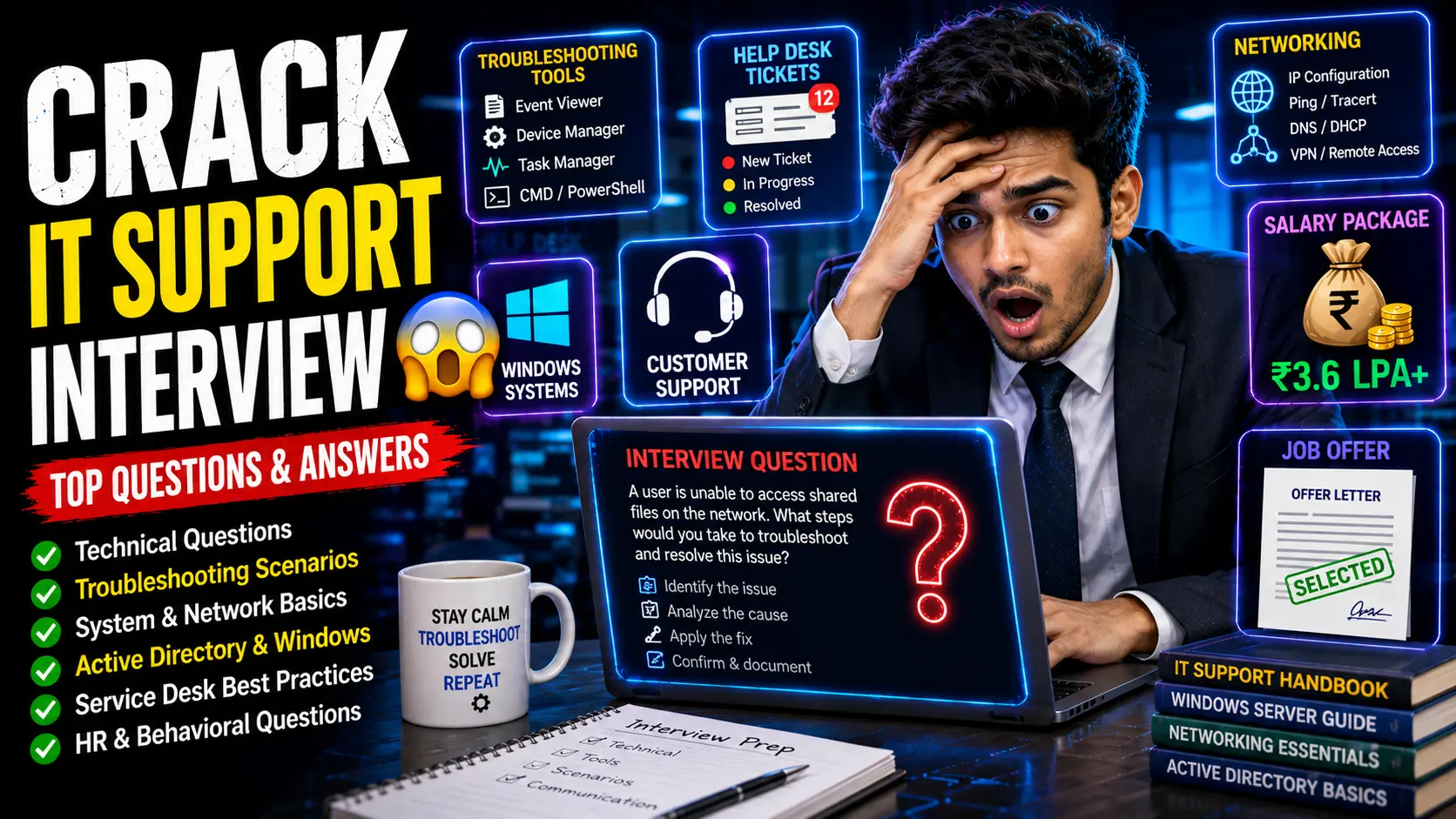
Service Desk Interview Questions and Answers for Freshers | HCL, Cognizant, IT Support Roles
If you are preparing for a Service Desk Analyst, IT Support Engineer, Technical Support Associate, Help Desk Executive, or Digital Workplace Support role, this complete interview guide will help you prepare with real interview questions, practical troubleshooting scenarios, and recruiter-focused answers.
Based on real interview experiences from HCL Service Desk Analyst, Cognizant Digital Workplace Services, and IT support hiring interviews, companies mainly test three core areas:
- Basic technical troubleshooting knowledge
- Communication and customer handling skills
- Problem-solving and escalation awareness
Many freshers think service desk interviews are only about technical knowledge. That is not true.
Recruiters also check:
- How clearly you communicate
- Whether you stay calm under pressure
- How you handle frustrated users
- Your troubleshooting mindset
- Whether you understand service desk workflows
This guide covers everything in a practical and interview-focused way.
What Is a Service Desk Analyst Role?
A Service Desk Analyst is the first level of IT support (L1 Support) responsible for helping users resolve technical issues related to systems, software, accounts, connectivity, and workplace tools.
This role is common in companies like:
- HCL
- Cognizant
- Infosys
- TCS
- Wipro
- Tech Mahindra
- Accenture
Typical responsibilities include:
- Receiving user complaints via calls, email, or ticketing tools
- Creating and managing incident tickets
- Troubleshooting basic technical issues
- Password reset support
- VPN access troubleshooting
- Outlook/email issue handling
- Printer and connectivity support
- Escalating unresolved issues to Level 2 teams
- Providing regular status updates to users
Simple Example:
If an employee cannot log in to their laptop, cannot access email, or VPN stops working, the service desk analyst becomes the first point of contact.
This means the role requires both technical basics and strong communication skills.
Difference Between Service Desk and Customer Support
This is a very common interview question.
Service Desk
- Supports internal employees or organizational users
- Handles IT issues
- Uses ticketing systems
- Focuses on troubleshooting and technical support
- Escalates technical problems when needed
Example:
An employee cannot connect to VPN while working remotely.
Customer Support
- Supports external customers
- Handles product/service queries
- Focuses more on customer satisfaction
- May not require deep technical troubleshooting
Example:
A customer calls regarding order delivery issues.
Best Interview Answer
Service Desk focuses on providing technical support to internal users by resolving IT issues such as login problems, software errors, connectivity issues, and access requests. Customer support mainly handles external customer concerns related to products or services.
Self Introduction Questions (Most Important)
Service desk interviews almost always begin with self-introduction.
Your introduction should show:
- Communication clarity
- Technical awareness
- Confidence
- Role alignment
Also Read:
Complete Interview Guide for Freshers 2026
Accenture interview experience for freshers 2026
Sales Officer Interview Questions and Answers for Freshers
Wipro WILP Interview Questions and Answers for Freshers
1. Tell Me About Yourself
Best Answer:
Hello, my name is [Your Name]. I recently completed my graduation in [Degree Name] from [College Name]. During my academic journey, I developed strong interest in technical troubleshooting, system support, and problem-solving.
I have basic understanding of networking concepts, operating systems, Microsoft tools, cloud fundamentals, and troubleshooting workflows. I enjoy helping users solve technical issues and communicating solutions clearly.
I believe the Service Desk role matches my skills because it combines technical troubleshooting, customer interaction, and continuous learning.
2. Why Do You Want to Join Service Desk Role?
Best Answer:
I am interested in service desk because it allows me to apply technical knowledge in real-world problem solving while interacting with users directly. I enjoy troubleshooting, helping people resolve technical issues, and learning enterprise IT systems.
This role also provides strong growth opportunities into infrastructure, cloud support, system administration, and advanced IT operations.
3. Why Should We Hire You?
Best Answer:
I believe I am a strong fit because I have the right combination of technical basics, communication skills, patience, and willingness to learn. Service desk roles require calm troubleshooting, user handling, and quick adaptation—qualities I am actively developing.
Technical Interview Questions and Answers
4. What Is VPN?
Answer:
VPN stands for Virtual Private Network.
It creates a secure encrypted connection between a user’s device and the company network over the internet.
This allows employees to securely access office resources remotely.
Example:
If an employee works from home and needs access to internal systems, VPN provides secure connectivity.
5. What Is Cloud Computing?
Answer:
Cloud computing means delivering computing resources such as servers, storage, applications, and databases over the internet instead of local physical systems.
Examples:
- AWS
- Microsoft Azure
- Google Cloud
For service desk roles, cloud awareness is useful because modern enterprise systems often operate in cloud environments.
6. What Is AWS?
Answer:
AWS stands for Amazon Web Services.
It is a cloud platform offering computing services like storage, virtual servers, databases, networking, and monitoring tools.
Examples:
- EC2
- S3
- RDS
- Lambda
Even if service desk roles are not cloud engineering roles, basic awareness creates a positive impression.
7. What Is LAN?
Answer:
LAN stands for Local Area Network.
It connects devices within a limited geographical area such as an office, school, or home network.
Example:
Office computers connected through Ethernet.
8. What Is WAN?
Answer:
WAN stands for Wide Area Network.
It connects networks across larger geographic regions.
Example:
A multinational company connecting offices across cities or countries.
9. What Is MAN?
Answer:
MAN stands for Metropolitan Area Network.
It covers a larger area than LAN but smaller than WAN.
Example:
A city-wide network connecting multiple campuses.
10. What Is Outlook?
Answer:
Microsoft Outlook is an enterprise email and communication application used for professional email, calendar scheduling, meetings, and contact management.
Organizations widely use Outlook for internal communication.
11. Outlook vs Gmail
Answer:
Outlook is enterprise-focused with integrated calendar, meetings, Microsoft ecosystem support, and corporate collaboration tools.
Gmail is a consumer-friendly email platform by Google, though business versions also exist.
In enterprise IT environments, Outlook is more commonly used.
12. Latest Windows Operating System
Answer:
The commonly used latest Windows operating system in enterprise environments is Windows 11.
13. Name Microsoft Applications Commonly Used in Organizations
Answer:
- Microsoft Outlook
- Word
- Excel
- PowerPoint
- Teams
- OneDrive
- OneNote
- Power BI
- SharePoint
- Access
This question checks workplace readiness.
Troubleshooting Interview Questions and Answers (Most Important for Service Desk Roles)
For Service Desk Analyst, IT Support Engineer, Desktop Support, and Digital Workplace roles, troubleshooting questions are often the most important part of the interview.
Recruiters are not expecting freshers to solve complex infrastructure incidents, but they absolutely expect a logical troubleshooting approach.
The biggest mistake candidates make is immediately saying: “I will escalate to senior team.”
That is the wrong first answer.
As an L1 Service Desk Analyst, your job is to attempt structured first-level troubleshooting before escalation.
14. A User Says Their Computer Is Not Turning On. What Will You Do?
Best Answer:
First, I would calmly gather basic information from the user instead of assuming the issue.
My troubleshooting steps would be:
- Check whether the power cable is properly connected
- Verify power socket functionality
- Check if laptop battery is charged
- Look for power indicator lights
- Ask whether any recent hardware issue occurred
- Try forced restart if appropriate
If basic checks fail, I would document findings and escalate to hardware support.
This shows troubleshooting ownership rather than immediate escalation.
15. Printer Is Not Working. How Will You Troubleshoot?
Best Answer:
I would follow a structured process:
- Check printer power status
- Verify cable/network connection
- Check paper availability
- Look for paper jams
- Check printer queue for stuck jobs
- Restart printer if needed
- Confirm correct printer selection
If unresolved, escalate to infrastructure or printer support.
16. A User Cannot Connect to VPN. What Will You Do?
Best Answer:
VPN issues are very common in service desk roles.
Steps:
- Confirm internet connectivity
- Check VPN credentials
- Verify VPN client installation
- Ask for error messages
- Check whether VPN service is operational
- Restart VPN application/system
If authentication or backend issues remain, escalate to network/security teams.
17. User Forgot Password / Account Locked
Best Answer:
I would first verify the user’s identity according to company security policy.
Then:
- Reset password if access rights allow
- Unlock account if permitted
- Guide the user through secure password creation
- Confirm successful login
Security compliance is critical in account management.
18. Outlook Is Not Opening. What Will You Do?
Best Answer:
- Ask for exact error message
- Restart Outlook
- Restart system
- Check internet connection
- Verify mailbox storage issues
- Check if Outlook profile is corrupted
- Try safe mode if applicable
If issue persists, escalate to application support.
19. User Reports Slow Computer Performance
Best Answer:
System slowdown is very common.
I would check:
- Too many background applications
- Low disk space
- High CPU or RAM usage
- Pending Windows updates
- Malware/antivirus scan need
- Browser overload
If hardware limitations exist, escalate accordingly.
20. Internet Is Not Working
Best Answer:
- Check Wi-Fi/Ethernet connection
- Confirm other websites load
- Restart router if permitted
- Check airplane mode
- Verify IP/network settings
- Ask whether issue affects only one user or many
If multiple users are impacted, it may be a broader network incident.
21. Software Installation Failure
Best Answer:
I would verify:
- User permissions/admin rights
- Installation compatibility
- Disk space availability
- Error logs/messages
- Antivirus restrictions
Then proceed or escalate based on findings.
Ticketing Tools and IT Support Process Questions
22. What Is a Ticketing System?
Answer:
A ticketing system is software used to log, track, assign, prioritize, and resolve IT support issues.
It helps teams maintain accountability and SLA compliance.
Examples:
- ServiceNow
- Jira
- Freshdesk
- Zendesk
23. What Is ServiceNow?
Answer:
ServiceNow is a popular enterprise IT service management (ITSM) platform used for incident management, service requests, ticket tracking, workflow automation, and escalation handling.
Many service desk roles use ServiceNow extensively.
24. What Is Escalation?
Answer:
Escalation means forwarding unresolved or higher-complexity issues to specialized support teams.
For example:
- L1 → basic troubleshooting
- L2 → advanced technical resolution
- L3 → expert/system engineering teams
Good service desk analysts attempt reasonable troubleshooting before escalation.
25. What Is SLA?
Answer:
SLA stands for Service Level Agreement.
It defines expected response and resolution timelines for support incidents.
Example:
Critical issue must be responded to within 30 minutes.
26. How Do You Prioritize Multiple Tickets?
Best Answer:
I prioritize based on:
- Business impact
- Urgency
- Number of affected users
- SLA deadlines
- Severity of issue
A system outage affecting 100 users gets higher priority than a single password reset.
27. What Is Remote Desktop Support?
Answer:
Remote desktop support allows IT teams to access a user’s system remotely for troubleshooting and issue resolution.
Common tools:
- TeamViewer
- AnyDesk
- Microsoft Remote Desktop
- LogMeIn
28. Why Is Documentation Important in Service Desk?
Answer:
Documentation ensures continuity, knowledge sharing, audit readiness, and faster issue resolution.
Good ticket notes help future troubleshooting and escalation teams understand issue history.
29. What Is Incident Management?
Answer:
Incident management is the process of identifying, recording, prioritizing, resolving, and closing technical incidents to restore normal service quickly.
30. What Is a Knowledge Base?
Answer:
A knowledge base is a collection of documented solutions, troubleshooting guides, FAQs, and standard operating procedures used by support teams.
It improves efficiency and reduces repeated troubleshooting effort.
HR Interview Questions and Answers for Service Desk Roles
For Service Desk Analyst, Technical Support Engineer, Help Desk Executive, and Digital Workplace Support roles, HR questions are extremely important because these positions are highly communication-driven.
Recruiters are not only checking technical basics—they also evaluate your attitude, patience, customer handling ability, adaptability, shift flexibility, and communication confidence.
Even technically good candidates get rejected if they perform poorly in HR and behavioral rounds.
31. Why Do You Want to Join HCL / Cognizant / Our Company?
Best Answer:
I want to join your organization because it is known for strong IT service delivery, professional learning opportunities, and global technology exposure. Service desk roles in companies like HCL and Cognizant provide excellent practical experience in troubleshooting, enterprise tools, incident management, and IT support operations.
As a fresher, I believe this role will help me build technical skills, communication confidence, and long-term growth in infrastructure or IT operations.
32. Why Should We Hire You?
Best Answer:
I believe I am a strong fit because I have the right combination of technical fundamentals, communication skills, patience, and willingness to learn. Service desk roles require structured troubleshooting, calm user handling, and accountability, which align with my strengths.
As a fresher, I may not have enterprise experience yet, but I bring adaptability, discipline, and strong motivation to learn quickly.
33. Are You Comfortable Working in Rotational Shifts?
Best Answer:
Yes, I understand that service desk operations often support global users and require rotational shifts to maintain service continuity. I am comfortable adapting to shift schedules as part of professional responsibility.
34. Are You Willing to Relocate?
Best Answer:
Yes, I am open to relocation if required by the organization. I see relocation as an opportunity for professional growth and exposure.
35. What Are Your Strengths?
Best Answer:
- Problem-solving mindset
- Patience under pressure
- Communication skills
- Quick learning ability
- Adaptability
- Team collaboration
Sample Answer:
My key strengths include patience, adaptability, structured problem-solving, and clear communication. I stay calm during technical issues and focus on practical resolution instead of panic.
36. What Is Your Weakness?
Best Answer:
One area I continuously improve is spending extra time validating details because I prefer accuracy. While this helps avoid mistakes, I am learning to balance accuracy with efficiency and prioritization.
37. Where Do You See Yourself in 5 Years?
Best Answer:
In the next five years, I want to grow into a technically stronger IT professional with hands-on experience in enterprise support, infrastructure troubleshooting, and advanced support technologies. I also aim to take on higher responsibilities in IT operations or cloud support roles.
Behavioral Interview Questions and Answers
Behavioral questions test communication maturity, emotional intelligence, teamwork, and customer interaction skills.
38. How Will You Handle an Angry User?
Best Answer:
If a user is angry, I would remain calm, professional, and patient. I would actively listen to understand the issue without interrupting. Acknowledging their frustration helps reduce tension.
Then I would clearly explain the next steps, provide realistic updates, and focus on resolution instead of argument.
Users often become calmer when they feel heard.
39. What If You and a Teammate Disagree During Issue Resolution?
Best Answer:
If disagreement occurs, I would focus on the technical issue rather than personal conflict. I would discuss perspectives respectfully, evaluate the best approach, and prioritize resolution.
If needed, I would seek senior guidance instead of allowing disagreement to delay service.
40. How Do You Handle Pressure?
Best Answer:
I handle pressure by organizing priorities, focusing on one issue logically, and maintaining calm communication. In support roles, panic creates more problems, so structured thinking is essential.
41. How Do You Handle Multiple High-Priority Tickets?
Best Answer:
I assess impact, urgency, affected users, and SLA deadlines. A major outage affecting many users takes priority over lower-impact issues.
Clear communication and proper documentation are equally important during prioritization.
42. What If You Don’t Know the Solution?
Best Answer:
If I do not know the exact solution, I would stay honest, check documentation or knowledge base resources, consult teammates if appropriate, and escalate if necessary.
Guessing without understanding can worsen technical issues.
Scenario-Based Interview Questions (Highest Selection Impact)
These are among the most powerful differentiators in service desk interviews.
43. A User Says “My System Is Very Slow.” What Will You Do?
Best Answer:
I would gather basic information first:
- When did the issue start?
- Is it affecting all applications or only specific ones?
- Any recent software installation?
Then I would check:
- CPU usage
- RAM usage
- Disk space
- Background applications
- Pending updates
- Malware scan requirement
44. User Cannot Print Urgent Documents. What Will You Do?
Best Answer:
I would quickly verify:
- Printer power
- Network connection
- Paper availability
- Print queue
- Correct printer selection
If unresolved, I would escalate while keeping the user informed due to urgency.
45. VPN Disconnects During Important Work
Best Answer:
I would first verify internet connectivity, VPN credentials, error messages, and VPN client functionality.
If backend access issues exist, I would escalate quickly while reassuring the user that the issue is being actively handled.
46. User Forgot Password but Sounds Frustrated
Best Answer:
I would first calm the user professionally and verify identity before taking action.
Then I would assist with secure password reset or account unlock according to company policy while clearly guiding the user.
47. Team Member Is Not Helping During Busy Hours
Best Answer:
I would communicate respectfully to understand the reason rather than making assumptions. If workload balancing is needed, collaboration helps faster resolution.
If the issue continues and affects operations, I would escalate appropriately.
48. User Demands Immediate Resolution for Complex Issue
Best Answer:
I would remain calm, explain that I understand the urgency, and communicate realistic expectations. If advanced support is required, I would escalate promptly while maintaining updates.
Transparency builds trust.
Communication Skills Tips for Service Desk Interviews
Communication is often the hidden selection factor.
- Speak clearly and slowly
- Avoid filler words
- Use structured answers
- Show confidence without sounding arrogant
- Practice common questions aloud daily
- Focus on clarity over perfect English
Final Selection Tips for Service Desk Freshers
- Master troubleshooting logic
- Understand ticketing systems
- Learn escalation process
- Revise networking basics
- Know Microsoft workplace tools
- Prepare VPN and Outlook troubleshooting
- Practice behavioral questions
- Improve communication confidence
- Understand SLA concepts
- Research the company before interview
Final Conclusion
Service desk interviews are not about deep coding expertise—they are about technical basics, troubleshooting mindset, communication maturity, and customer handling professionalism.
Freshers who prepare practical troubleshooting scenarios, understand support workflows, and communicate confidently significantly improve their chances of selection.
Winning Formula:
Troubleshooting + Communication + Ticketing Awareness + Patience + Professionalism = Service Desk Job Selection